CHOOSE A VERSION
2 versions · same consoleChoose an original release, regional version, revision, bootleg or clearly labelled ROM hack/mod, then press Play. Hacks may change the gameplay. Switching versions restarts the player.
Selected: Default · USA · USA
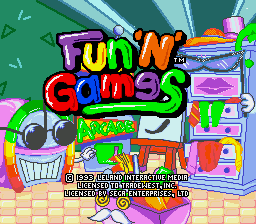
The game loads when you press Play · press “Play Now” inside the game if it asks.
Fun 'N' Games (USA)
Fun 'N' Games
Inside Fun 'N' Games
- SEGA Genesis
- Action
- 5· 0 votes
Controls
- Arrow Keys = D-Pad
- X = A button (jump/confirm)
- S = B button (run/attack/cancel)
- Z = Y button
- A = X button
- Q = L shoulder
- E = R shoulder
- Enter = Start
- V = Select
When you first start Fun 'N' Games, you'll likely see a title screen followed by a menu listing the available mini-games. Use the D-Pad to highlight your choice and press the A button (X key) to confirm. Most of these games are straightforward, lasting only a minute or two. The goal is usually to achieve a high score or complete a simple objective. Each mini-game may have its own control scheme, but the basic buttons are consistent: A to confirm or act, B to cancel or perform secondary actions. Start pauses the game, and Select opens options if available. Since this is a compilation, try each game at least once to get a feel for the variety. There are no long tutorials, so expect to learn by doing. If you get stuck on a particular game, experiment with the D-Pad and action buttons. Some games require precise timing, while others are about quick reflexes. The low difficulty curve makes it easy to jump between activities. The compact nature of the cartridge means you can finish all games in a short session.
GAME INFO
- Platform
- SEGA Genesis
- Genre
- Action
- Players
- 1
- Region
- USA
How to play Fun 'N' Games online
When you first start Fun 'N' Games, you'll likely see a title screen followed by a menu listing the available mini-games. Use the D-Pad to highlight your choice and press the A button (X key) to confirm. Most of these games are straightforward, lasting only a minute or two. The goal is usually to achieve a high score or complete a simple objective. Each mini-game may have its own control scheme, but the basic buttons are consistent: A to confirm or act, B to cancel or perform secondary actions. Start pauses the game, and Select opens options if available. Since this is a compilation, try each game at least once to get a feel for the variety. There are no long tutorials, so expect to learn by doing. If you get stuck on a particular game, experiment with the D-Pad and action buttons. Some games require precise timing, while others are about quick reflexes. The low difficulty curve makes it easy to jump between activities. The compact nature of the cartridge means you can finish all games in a short session.
CONTROLS
Controls
- Arrow Keys: D-Pad / Movement
- X: A button
- S: B button
- Z: C button
- A: X button (6-button pad)
- Q: Y button (6-button pad)
- E: Z button (6-button pad)
- Enter: Start / Mode
Fun 'N' Games FAQ
Who developed Fun 'N' Games?
The developer of Fun 'N' Games is not widely documented. Retro gaming databases do not list a specific studio, and the game appears to have been published by a budget label whose records are sparse.
Is Fun 'N' Games considered easy to pick up or challenging?
Fun 'N' Games leans toward the easy side, as its mini-games are designed for quick sessions with simple rules. There is no steep learning curve, making it accessible for casual play.
Is Fun 'N' Games exclusive to SEGA Genesis or did it appear on other systems?
Fun 'N' Games appears to be exclusive to the Sega Genesis. No records indicate ports to other platforms like the Super Nintendo or handhelds, likely due to its budget nature.
You may also like
All SEGA Genesis games











GAME INFO
- Platform
- SEGA Genesis
- Genre
- Action
- Players
- 1
- Region
- USA
COMMENTS (0)
No comments yet. Be the first to share your thoughts.