The game loads when you press Play · press “Play Now” inside the game if it asks.
Formula One (USA)
Formula One
Formula One: Genesis Racing
- SEGA Genesis
- Racing
- 5· 0 votes
GAME INFO
- Platform
- SEGA Genesis
- Genre
- Racing
- Players
- 1
- Region
- USA
More Formula One Games
Ready for another round? Explore more Formula One games and console editions. Choose a game below to play it on its own page.
How to play Formula One online
Getting Started
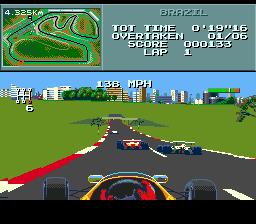
First, select a game mode from the main menu. Options typically include Grand Prix, single race, or time trial. Choose your car and track, then adjust basic settings like fuel load and tire compound. The game uses a 3D camera that follows behind your car.
The core loop begins with a qualifying session where you set your best lap time to determine starting grid position. Then you race the full distance, managing tire wear and fuel consumption while overtaking opponents. Finish first to win the race and earn championship points.
New players should start with a short race or time trial to get used to the handling model. The cars are sensitive and require smooth steering inputs. Pay attention to the lap counter and pit stop strategy, as tire degradation affects grip and speed.
CONTROLS
Controls
- Arrow Keys: D-Pad / Movement
- X: A button
- S: B button
- Z: C button
- A: X button (6-button pad)
- Q: Y button (6-button pad)
- E: Z button (6-button pad)
- Enter: Start / Mode
Formula One FAQ
Who developed Formula One?
Geoff Crammond designed the original Formula One simulation. The precise details of the Genesis port team are not widely documented.
Can players save progress in Formula One?
Formula One on Genesis does not include battery-backed saving. Progress is lost when the console is turned off, though some versions may offer password systems for certain modes.
Is Formula One exclusive to SEGA Genesis or did it appear on other systems?
Formula One first appeared on Amiga and Atari ST in 1991, with subsequent ports to MS-DOS and the SEGA Genesis. It is not exclusive to the Genesis.
You may also like
All SEGA Genesis games











GAME INFO
- Platform
- SEGA Genesis
- Genre
- Racing
- Players
- 1
- Region
- USA
COMMENTS (0)
No comments yet. Be the first to share your thoughts.