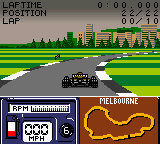
The game loads when you press Play · press “Play Now” inside the game if it asks.
Formula One 2000 (USA)
Formula One 2000
What is Formula One 2000?
- Game Boy Color
- Racing
- 5· 0 votes
GAME INFO
- Platform
- Game Boy Color
- Genre
- Racing
- Publisher
- Sony Interactive Entertainment
- Developer
- Studio 33
- Released
- 2000
- Players
- 1
- Region
- USA
More Formula One Games
Ready for another round? Explore more Formula One games and console editions. Choose a game below to play it on its own page.
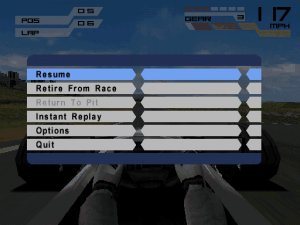
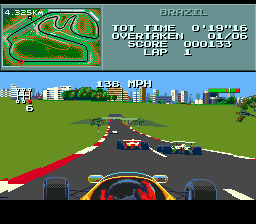
How to play Formula One 2000 online
Getting started: When you boot up Formula One 2000, you'll be greeted by a title screen. Press Start (Enter) to proceed to the main menu. From there, you can choose between Grand Prix mode, Time Trial, or a Quick Race. If you're new, start with Quick Race to get a feel for the handling without worrying about championship standings.
The core loop is simple: pick a car and a track, then race to finish as high as possible. Pay attention to the gear indicator on the screen - shifting down before a turn helps maintain control, while shifting up on straightaways boosts top speed. The Game Boy Color version uses a top-down view, so you can see upcoming corners and other cars. Use the D-Pad to steer left and right; hold down briefly to brake. Avoid hitting barriers or other cars, as that slows you down considerably.
For the championship mode, you'll need to qualify by setting a fast lap, then race against AI opponents. Points are awarded based on finish position, and after several races the driver with the most points wins. There's no pit stop management or complex strategy - just drive fast and clean. The game saves progress automatically after each race. If you're struggling, try automatic gears in the options menu to focus purely on steering and braking.
CONTROLS
Controls
- Arrow Keys: D-Pad / Movement
- X: A button (jump / confirm)
- S: B button (run / attack / cancel)
- Enter: Start / Pause
- V: Select
Formula One 2000 FAQ
Who developed Formula One 2000?
The developer of the Game Boy Color version is not widely documented in common sources. It was published by Take-Two Interactive, but the specific studio responsible for the handheld port is uncertain.
Is there anything iconic or memorable about Formula One 2000?
It is one of the few officially licensed F1 games on the Game Boy Color, making it a niche but noteworthy entry for racing fans. The top-down perspective and inclusion of real teams and drivers from the 2000 season give it a certain retro charm.
Does Formula One 2000 have a multiplayer or co-op mode?
No, the Game Boy Color version is strictly single-player. It does not support any form of link cable multiplayer or co-op.
You may also like
All Game Boy Color games











GAME INFO
- Platform
- Game Boy Color
- Genre
- Racing
- Publisher
- Sony Interactive Entertainment
- Developer
- Studio 33
- Released
- 2000
- Players
- 1
- Region
- USA
COMMENTS (0)
No comments yet. Be the first to share your thoughts.