The game loads when you press Play · press “Play Now” inside the game if it asks.
FIFA Soccer 95 (USA, Europe) (En,Fr,De,Es)
FIFA Soccer 95
FIFA Soccer 95 - Sports Classic
- SEGA Genesis
- Sports
- 5· 0 votes
GAME INFO
- Platform
- SEGA Genesis
- Genre
- Sports
- Publisher
- EA Sports
- Developer
- EA Vancouver
- Released
- 1994
- Players
- 1-2
- Region
- USA, Europe
More FIFA Soccer Games
Ready for another round? Explore more FIFA Soccer games and console editions. Choose a game below to play it on its own page.

How to play FIFA Soccer 95 online
CONTROLS
Controls
- Arrow Keys: D-Pad / Movement
- X: A button
- S: B button
- Z: C button
- A: X button (6-button pad)
- Q: Y button (6-button pad)
- E: Z button (6-button pad)
- Enter: Start / Mode
FIFA Soccer 95 FAQ
What type of game is FIFA Soccer 95?
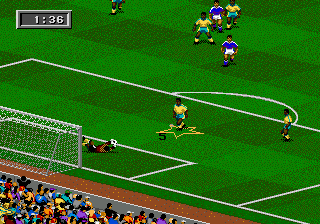
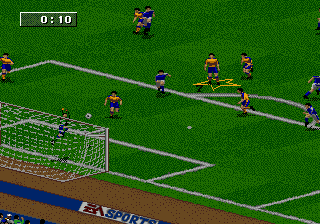
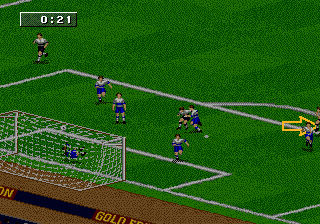
It is a soccer simulation video game that replicates the sport of association football. Matches involve two teams of eleven players competing to score goals within a timed match.
Is FIFA Soccer 95 exclusive to SEGA Genesis or did it appear on other systems?
It appeared on multiple platforms including the SEGA Genesis, SEGA Game Gear, and SEGA Master System. The Genesis version was the most feature-rich, with the handheld versions offering a more simplified experience.
Who developed FIFA Soccer 95?
The game was developed by Extended Play Productions, a studio that specialized in sports titles for EA Sports. They later became known as EA Canada.
You may also like
All SEGA Genesis games











GAME INFO
- Platform
- SEGA Genesis
- Genre
- Sports
- Publisher
- EA Sports
- Developer
- EA Vancouver
- Released
- 1994
- Players
- 1-2
- Region
- USA, Europe
COMMENTS (0)
No comments yet. Be the first to share your thoughts.