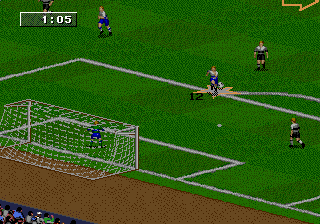
The game loads when you press Play · press “Play Now” inside the game if it asks.
FIFA 98 - Road to World Cup (Europe) (En,Fr,Es,It,Sv)
FIFA 98 - Road to World Cup
FIFA 98 - Road to World Cup Overview
- SEGA Genesis
- Sports
- 5· 0 votes
GAME INFO
- Platform
- SEGA Genesis
- Genre
- Sports
- Released
- 1997
- Players
- 1-2
- Region
- Europe
More FIFA Games
Ready for another round? Explore more FIFA games and console editions. Choose a game below to play it on its own page.

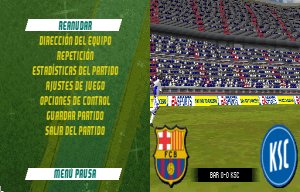
How to play FIFA 98 - Road to World Cup online
CONTROLS
Controls
- Arrow Keys: D-Pad / Movement
- X: A button
- S: B button
- Z: C button
- A: X button (6-button pad)
- Q: Y button (6-button pad)
- E: Z button (6-button pad)
- Enter: Start / Mode
FIFA 98 - Road to World Cup FAQ
What makes FIFA 98 - Road to World Cup stand out among SEGA Genesis titles of its era?
It was one of the first FIFA games to fully embrace a World Cup theme, allowing players to take any national team through qualification and the final tournament. The controls were responsive for the time, and it included multiple language options for European audiences.
In what year was FIFA 98 - Road to World Cup originally released?
It first came out in 1997, ahead of the actual 1998 World Cup. This gave fans a chance to play the tournament before it happened.
Which regions was FIFA 98 - Road to World Cup released in?
This particular version is the European release, covering English, French, Spanish, Italian, and Swedish language options. A separate North American version also exists.
You may also like
All SEGA Genesis games











GAME INFO
- Platform
- SEGA Genesis
- Genre
- Sports
- Released
- 1997
- Players
- 1-2
- Region
- Europe
COMMENTS (0)
No comments yet. Be the first to share your thoughts.