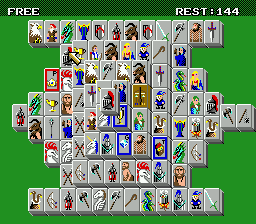
The game loads when you press Play · press “Play Now” inside the game if it asks.
Dragon's Eye Plus - Shanghai III (Japan)
Dragon's Eye Plus - Shanghai III
Dragon's Eye Plus - Shanghai III Overview
- SEGA Genesis
- Puzzle
- 5· 0 votes
The core gameplay revolves around removing all tiles from a layered arrangement by matching pairs of identical tiles. Tiles can only be selected if they are free on at least one side and not covered. The game includes multiple layouts and possibly a time limit or score system. Navigation involves selecting tiles with the D-pad and confirming matches with the A button. Menus are fully in Japanese, but the basic tile-matching logic is intuitive.
For retro puzzle enthusiasts, Dragon's Eye Plus - Shanghai III offers a refined take on the timeless Mahjong solitaire formula. It fits alongside other Genesis puzzle titles like Columns or Klax, but with a slower, more strategic pace. The Japanese-only release makes it a niche collectible today. If you enjoy tile-matching games and don't mind navigating menus in Japanese, this version provides a solid, relaxing experience.
GAME INFO
- Platform
- SEGA Genesis
- Genre
- Puzzle
- Players
- 1
- Region
- Japan
- Based on
- Shanghai III
More Shanghai Games
Ready for another round? Explore more Shanghai games and console editions. Choose a game below to play it on its own page.
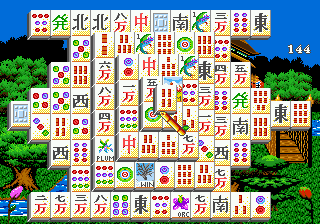
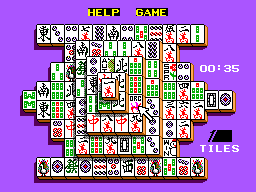
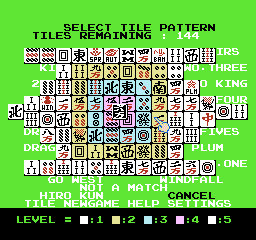

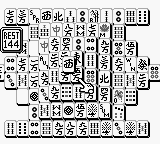
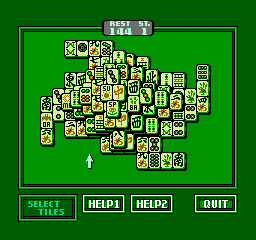
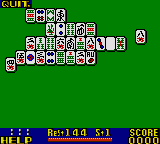

How to play Dragon's Eye Plus - Shanghai III online
Getting Started
When you first boot up Dragon's Eye Plus - Shanghai III, you'll see a title screen followed by a menu. The menu is entirely in Japanese, but the top option typically starts a new game. Use the D-pad to navigate and press X (A button) to confirm. You may be able to select different tile sets or layouts using other menu options.
Once a game begins, you'll see a pile of tiles arranged in a traditional Mahjong solitaire layout. Your goal is to remove all tiles by matching pairs of identical tiles. Only tiles that are free on the left or right side and not covered by another tile can be selected. Use the D-pad to move a cursor over the board and press X to select a tile; then move to a matching tile and press X again to eliminate the pair. If you make a wrong selection, press S (B button) to cancel the current selection.
This is a purely single-player puzzle game with no time pressure in most modes. The core loop is simple: scan the board, find matching pairs that are free, and clear them. Pay attention to tile layers - removing a top tile may free tiles beneath. There is no undo or hint system, so plan your moves carefully. If you get stuck, you can press Start to pause and restart or exit the current game. Enjoy the slow, meditative pace of classic Mahjong solitaire.
CONTROLS
Controls
- Arrow Keys: D-Pad / Movement
- X: A button
- S: B button
- Z: C button
- A: X button (6-button pad)
- Q: Y button (6-button pad)
- E: Z button (6-button pad)
- Enter: Start / Mode
Dragon's Eye Plus - Shanghai III FAQ
Who developed Dragon's Eye Plus - Shanghai III?
The developer is not widely documented. It is a variant of Shanghai III, which was originally developed by Activision, but the specific developer of this 'Dragon's Eye Plus' edition for the Genesis is unknown.
Roughly how long does it take to finish Dragon's Eye Plus - Shanghai III?
A typical match of Mahjong solitaire can be completed in 10 to 30 minutes depending on the layout and player skill. There are multiple layouts, so total playtime varies significantly.
Is there anything iconic or memorable about Dragon's Eye Plus - Shanghai III?
While not a standout title in the Sega Genesis library, it is a solid example of the Mahjong solitaire genre. The 'Plus' edition likely adds extra tile sets or layouts, making it a minor curiosity for collectors of Japanese puzzle releases.
You may also like
All SEGA Genesis games











GAME INFO
- Platform
- SEGA Genesis
- Genre
- Puzzle
- Players
- 1
- Region
- Japan
- Based on
- Shanghai III
COMMENTS (0)
No comments yet. Be the first to share your thoughts.