The game loads when you press Play · press “Play Now” inside the game if it asks.
Dong Gu Ri Te Chi Jak Jeon (Korea)
Dong Gu Ri Te Chi Jak Jeon
Dong Gu Ri Te Chi Jak Jeon on Genesis
- SEGA Genesis
- Action
- Unlicensed
- 5· 0 votes
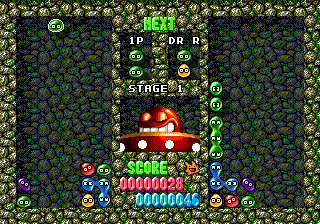
Dong Gu Ri Te Chi Jak Jeon is a Korean unlicensed game for the Sega Genesis, released sometime during the console's commercial life in South Korea. The title translates roughly to "Dong Gu Ri" something, and it appears to be a bootleg or pirate cart - common in regions where official distribution was limited. No developer or publisher is officially credited; these ROMs were typically sold on unmarked cartridges by local shops. The game likely falls into the action or platformer genre, as most such bootlegs were hacked versions of existing titles with altered sprites, text, or levels.
Because documentation is scarce, exact gameplay mechanics aren't easy to pin down. What players can expect from this kind of Korean Genesis bootleg is a side‑scrolling experience where you control a character moving left to right, avoiding obstacles and defeating enemies. The controls are likely simple: move, jump, and attack using the standard Genesis pad. Menus may be in Korean or English depending on the specific ROM dump, so some trial and error might be needed to navigate. The core loop involves clearing stages, collecting items, and fighting a boss at the end, though details beyond those genre conventions are not documented.
For retro collectors, this title is a curiosity piece rather than a polished game. It represents the wild west of unlicensed publishing in South Korea during the 1990s, where hackers and small shops repurposed existing code for a local audience. If you enjoy exploring the weird fringes of the Genesis library or are specifically interested in Korean pirate carts, it's worth a look. But don't expect tight design or original ideas - this is a historical artifact, not a hidden gem you'd recommend to a friend as a must‑play.
GAME INFO
- Platform
- SEGA Genesis
- Genre
- Action
How to play Dong Gu Ri Te Chi Jak Jeon online
Getting Started
First, load the ROM in your emulator. The game's title screen and menus will likely be in Korean or possibly garbled English, depending on the specific dump. If you see a language select option, choose accordingly. Press Start (Enter key) to begin.
Once in the game, use the arrow keys to move your character left or right, and use X (jump) and S (attack) to interact with the environment. The core objective is typical for the genre: move through each stage, defeat enemies, collect power‑ups or items, and reach the end to progress. Watch out for traps and enemy patterns that may feel borrowed from other games you've played on the Genesis.
Because this is an unlicensed bootleg, expect quirks like odd hit detection, looping sound, or sudden difficulty spikes. Save states are your friend - make frequent saves so you don't lose progress. If the game seems to soft‑lock or behave strangely, try resetting the emulator with a different region setting (Korean or Japan) as some ROMs require specific BIOS configurations.
CONTROLS
Controls
- Arrow Keys: D-Pad / Movement
- X: A button
- S: B button
- Z: C button
- A: X button (6-button pad)
- Q: Y button (6-button pad)
- E: Z button (6-button pad)
- Enter: Start / Mode
Dong Gu Ri Te Chi Jak Jeon FAQ
Which regions was Dong Gu Ri Te Chi Jak Jeon released in?
The game was released in South Korea as an unlicensed bootleg cartridge. It did not see an official release in any other region.
Is Dong Gu Ri Te Chi Jak Jeon considered easy to pick up or challenging?
No reliable difficulty assessment exists for this specific game. Based on the bootleg category, it likely falls somewhere between moderate and frustrating due to unrefined mechanics and possible bugs.
Who developed Dong Gu Ri Te Chi Jak Jeon?
The developer is not documented. Like many Korean unlicensed Genesis games, it was probably hacked together by an anonymous local group or shop without any formal credit.
You may also like
All SEGA Genesis games











GAME INFO
- Platform
- SEGA Genesis
- Genre
- Action
COMMENTS (0)
No comments yet. Be the first to share your thoughts.