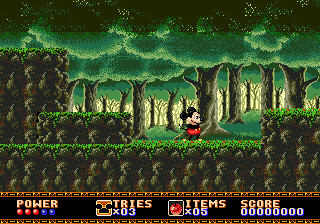
The game loads when you press Play · press “Play Now” inside the game if it asks.
Disney Collection, The (Europe)
Disney Collection, The
About Disney Collection, The
- SEGA Genesis
- Platformer
- Compilation
- 5· 0 votes
GAME INFO
- Platform
- SEGA Genesis
- Genre
- Platformer
- Players
- 1
- Region
- Europe
How to play Disney Collection, The online
Getting Started
When you boot up The Disney Collection, you will likely see a menu screen listing several game titles. Since this is a European compilation, the menu text is in English. Use the D-Pad to highlight a game and press X (A button) to select it. Each game starts you at its first level, just like the original cartridge versions.
The core gameplay varies by which title you pick. In general, you control a Disney character, move from left to right, jump over gaps, and collect items or power-ups. The B button runs or attacks depending on the game. Many levels have hidden passages or bonus stages. Check the controls reference above for the exact mappings since the game expects a standard Genesis pad.
A few tips: Because these are straight ports of classic Genesis games, the difficulty can be steep, especially in The Lion King. Spend a moment learning each character's moves. The Y button (Z key) may activate a special attack in some games. If you get stuck, the compilation does not include save states, but you can use the emulator's save feature (not part of the game itself) to continue where you left off.
CONTROLS
Controls
- Arrow Keys: D-Pad / Movement
- X: A button
- S: B button
- Z: C button
- A: X button (6-button pad)
- Q: Y button (6-button pad)
- E: Z button (6-button pad)
- Enter: Start / Mode
Disney Collection, The FAQ
What makes Disney Collection, The stand out among SEGA Genesis titles of its era?
It gathers multiple high-quality Disney platformers into a single cartridge, offering variety and convenience. This compilation lets players switch between games that originally defined the console's licensed output, though the experience is identical to the originals.
Is Disney Collection, The exclusive to SEGA Genesis or did it appear on other systems?
This specific compilation appears to be exclusive to the SEGA Genesis in Europe. The individual games within were released on other platforms, but this particular bundle was not released on other systems.
Is there anything iconic or memorable about Disney Collection, The?
The collection is memorable for packaging several beloved titles, like Aladdin and The Lion King, together. It provides a snapshot of the Genesis's best Disney games, each with its own distinct art style and music.
You may also like
All SEGA Genesis games











GAME INFO
- Platform
- SEGA Genesis
- Genre
- Platformer
- Players
- 1
- Region
- Europe
COMMENTS (0)
No comments yet. Be the first to share your thoughts.