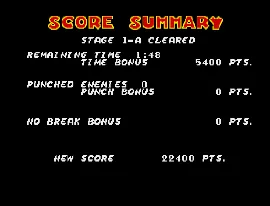
The game loads when you press Play · press “Play Now” inside the game if it asks.
Dick Tracy (World)
Dick Tracy
Dick Tracy on Genesis
- SEGA Genesis
- Shooter
- 5· 0 votes
Dick Tracy is a side-scrolling shooter that hit the Sega Genesis (and Master System) back in 1990, developed and published by Sega to coincide with the Warren Beatty film. It's a straightforward action title that puts you in the shoes of the famous comic strip detective.
You take control of Dick Tracy as he walks through city streets, alleys, and other environments, blasting away at thugs and avoiding hazards. The core loop involves moving forward, shooting enemies, and collecting items or keys to progress. It's a classic run-and-gun style, but with a focus on advancing through linear stages.
The Dick Tracy game isn't a hidden masterpiece, but it's a decent example of early Genesis side-scrollers. Its connection to the movie and comic strip gives it some charm, and the sprite work is decent for its time. If you enjoy straightforward shooters from the late '80s and early '90s, it's worth a quick playthrough to see how Sega handled the license.
GAME INFO
- Platform
- SEGA Genesis
- Genre
- Shooter
- Publisher
- Titus Interactive
- Developer
- Titus Interactive
- Released
- 1990
- Players
- 1
- Region
- Worldwide
How to play Dick Tracy online
When you start the game, you'll see a title screen and then be dropped into a city street. Your objective is to move to the right, shooting at enemies that appear from both sides. Watch for thugs popping out of windows, doors, and alleys. The D-Pad moves Tracy, the S button fires your weapon, and X lets you jump. Some stages may have keys or doors to interact with - approach them and press the action button. Lives are limited, so avoid taking too many hits.
As you progress, you'll face tougher enemies and occasional bosses. Pay attention to the environment for hints on where to go next. The core loop is simple: shoot everything in sight, advance through the level, and reach the end. There's no complex inventory or upgrades - just straightforward shooting action. If you get stuck, remember that patience and precise jumping can save you from unnecessary damage.
CONTROLS
Controls
- Arrow Keys: D-Pad / Movement
- X: A button
- S: B button
- Z: C button
- A: X button (6-button pad)
- Q: Y button (6-button pad)
- E: Z button (6-button pad)
- Enter: Start / Mode
Dick Tracy FAQ
Who developed Dick Tracy?
Sega developed both the Genesis and Master System versions of Dick Tracy. It was an internal Sega project tied to the 1990 movie release.
Is Dick Tracy considered easy to pick up or challenging?
It's fairly straightforward in terms of controls, but the limited lives and enemy placements make it moderately challenging. You'll need to learn enemy patterns to avoid quick deaths.
Is Dick Tracy exclusive to SEGA Genesis or did it appear on other systems?
No, it also appeared on the Master System, NES, and Game Boy. Each version has different gameplay styles - the Genesis version is a side-scrolling shooter while the NES version is a platformer.
You may also like
All SEGA Genesis games











GAME INFO
- Platform
- SEGA Genesis
- Genre
- Shooter
- Publisher
- Titus Interactive
- Developer
- Titus Interactive
- Released
- 1990
- Players
- 1
- Region
- Worldwide
COMMENTS (0)
No comments yet. Be the first to share your thoughts.