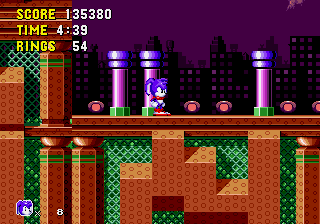
The game loads when you press Play · press “Play Now” inside the game if it asks.
Dash The Rabbit
Dash The Rabbit
About Dash The Rabbit
- SEGA Genesis
- Platformer
- Homebrew
- 5· 0 votes
GAME INFO
- Platform
- SEGA Genesis
- Genre
- Platformer
- Players
- 1
How to play Dash The Rabbit online
Getting Started
When you first load Dash The Rabbit, you will likely see a title screen with no language text if it's a simple homebrew build. Press Enter to start the game. You begin at the first level controlling a rabbit character. The immediate goal is to reach the right side of the screen, avoiding hazards and collecting items along the way.
The core gameplay is classic side-scrolling platforming. Use the Arrow Keys to move left and right, and press X to jump. Enemies can be avoided by jumping over them; if you can attack, press S. Experiment with both buttons because homebrew games sometimes map actions differently. There is no in-game tutorial, so expect to learn by doing.
Because Dash The Rabbit is an unofficial homebrew, you may encounter unfinished level layouts or minor graphical glitches. The game is short, often just a handful of stages. If you get stuck, try moving quickly and memorizing enemy patterns. There is no save feature, so you must finish in one session.
CONTROLS
Controls
- Arrow Keys: D-Pad / Movement
- X: A button
- S: B button
- Z: C button
- A: X button (6-button pad)
- Q: Y button (6-button pad)
- E: Z button (6-button pad)
- Enter: Start / Mode
Dash The Rabbit FAQ
Does Dash The Rabbit have a multiplayer or co-op mode?
No multiplayer or co-op mode is known to exist for Dash The Rabbit. The game appears to be strictly a single-player experience, with no options for simultaneous play.
Is Dash The Rabbit considered easy to pick up or challenging?
The game is very easy to pick up, with simple controls and immediate action. However, its difficulty is moderate due to tricky jumps and enemy placement, especially for a homebrew title with no checkpoints.
Is there anything iconic or memorable about Dash The Rabbit?
Dash The Rabbit is not widely known or iconic; it remains an obscure homebrew. Its main memorable trait is the novelty of a rabbit-themed platformer on the Genesis, a console with very few rabbit protagonists.
You may also like
All SEGA Genesis games











GAME INFO
- Platform
- SEGA Genesis
- Genre
- Platformer
- Players
- 1
COMMENTS (0)
No comments yet. Be the first to share your thoughts.