CHOOSE A VERSION
3 versions · same consoleChoose an original release, regional version, revision, bootleg or clearly labelled ROM hack/mod, then press Play. Hacks may change the gameplay. Switching versions restarts the player.
- Default · Japan
- Japan, Korea · En by MIJET v20061029
- Japan, Korea · En by MIJET v20061029 · ~Trouble Shooter Vintage
Selected: Default · Japan · Japan
The game loads when you press Play · press “Play Now” inside the game if it asks.
Battle Mania Daiginjou (Japan)
Battle Mania Daiginjou
What is Battle Mania Daiginjou?
- SEGA Genesis
- Shooter
- 5· 0 votes
GAME INFO
- Platform
- SEGA Genesis
- Genre
- Shooter
- Players
- 1
- Region
- Japan
How to play Battle Mania Daiginjou online
Getting Started
When you boot the game, you'll see a title screen in Japanese. Press Start to advance through menus. Use the D-pad to select options and the A button to confirm. The default option is likely "Start Game" or "1 Player." Press Enter to start playing.
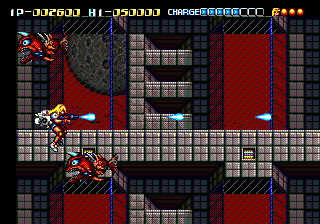
Your ship moves with the D-pad and fires automatically with X (A button). Press S (B button) to use a bomb or special attack if you have one. The core gameplay is vertical scrolling: enemies come from the top and sides. Collect power-up items that appear after destroying certain enemies to upgrade your weapons or add satellites that shoot alongside you.
This is a Japanese-only title, so all text is in Japanese. The menus are simple: the first option is usually to start a game, second might be options (difficulty, sound test). If you want to adjust difficulty, try the second option and then use the D-pad to select a number (1-8, where 1 is easiest). Press Start to confirm and begin. Expect a tough challenge even on lower settings - learn enemy patterns and watch for incoming bullets.
CONTROLS
Controls
- Arrow Keys: D-Pad / Movement
- X: A button
- S: B button
- Z: C button
- A: X button (6-button pad)
- Q: Y button (6-button pad)
- E: Z button (6-button pad)
- Enter: Start / Mode
Battle Mania Daiginjou FAQ
Who developed Battle Mania Daiginjou?
The game was developed by Vic Tokai, the same studio behind the original Battle Mania (Trouble Shooter). Specific staff credits are not widely documented.
Is Battle Mania Daiginjou exclusive to SEGA Genesis or did it appear on other systems?
It was released only for the SEGA Genesis in Japan. There is no official port or release on other platforms.
Roughly how long does it take to finish Battle Mania Daiginjou?
A typical playthrough takes about 30 to 45 minutes for a skilled player on normal difficulty. First attempts will likely take longer due to retries and learning enemy patterns.
You may also like
All SEGA Genesis games











GAME INFO
- Platform
- SEGA Genesis
- Genre
- Shooter
- Players
- 1
- Region
- Japan
COMMENTS (0)
No comments yet. Be the first to share your thoughts.