The game loads when you press Play · press “Play Now” inside the game if it asks.
Batman Returns (World)
Batman Returns
Batman Returns: Genesis Beat em Up
- SEGA Genesis
- Beat em Up
- 5· 0 votes
GAME INFO
- Platform
- SEGA Genesis
- Genre
- Beat em Up
- Publisher
- Konami
- Developer
- Konami
- Released
- 1992
- Players
- 1
- Region
- Worldwide
How to play Batman Returns online
Getting Started
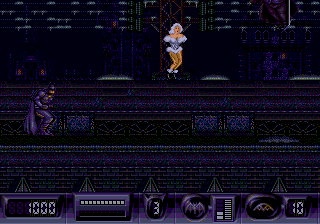
Fire up the game and you'll see a title screen, then a short story intro. Press Enter (Start) to begin. You control Batman in a single-player campaign across several stages. The core objective is simple: walk from left to right, punching, kicking, and using batarangs to take down the Penguin's circus thugs. Watch out for health pickups and avoid falling into pits.
Batman can attack while standing, jumping, or crouching. Press the B button (S key) to punch or kick. Press A button (X key) to jump, and you can do a jump kick by pressing attack in the air. You also have a special weapon - batarangs - which you can throw by pressing the Y button (Z key). Use them wisely as they have limited ammo. Each level ends with a boss fight, often against a character from the movie like Catwoman or the Penguin. Learning enemy patterns is key, especially on later stages where enemies hit harder.
If you get stuck, remember that Batman can pick up items from defeated foes, such as extra batarangs or health. The game is not overly long, but it can be tough on higher difficulties. Save your continues and try to memorize the placement of hazards. The controls are responsive, so most deaths come from carelessness rather than unfair design.
CONTROLS
Controls
- Arrow Keys: D-Pad / Movement
- X: A button
- S: B button
- Z: C button
- A: X button (6-button pad)
- Q: Y button (6-button pad)
- E: Z button (6-button pad)
- Enter: Start / Mode
Batman Returns FAQ
What makes Batman Returns stand out among SEGA Genesis titles of its era?
Batman Returns blends a dark, movie-authentic atmosphere with solid beat 'em up gameplay. It uses digitized sprites and large character models, giving it a distinct look among Genesis brawlers. The level design includes some platforming sections and a few vehicle-based sequences, offering variety beyond simple punching.
Roughly how long does it take to finish Batman Returns?
A typical playthrough runs between one and two hours, depending on difficulty and skill. The game has five levels, each with a boss, and continues are limited, so rookie players might take longer if they have to restart.
Who developed Batman Returns?
Batman Returns for the Sega Genesis was developed and published by Sega. The team responsible is not widely credited publicly, but it was an internal Sega project, not a port from another developer.
You may also like
All SEGA Genesis games











GAME INFO
- Platform
- SEGA Genesis
- Genre
- Beat em Up
- Publisher
- Konami
- Developer
- Konami
- Released
- 1992
- Players
- 1
- Region
- Worldwide
COMMENTS (0)
No comments yet. Be the first to share your thoughts.