The game loads when you press Play · press “Play Now” inside the game if it asks.
Barkley Shut Up and Jam! (USA, Europe)
Barkley Shut Up and Jam!
Barkley Shut Up and Jam! Overview
- SEGA Genesis
- Sports
- 5· 0 votes
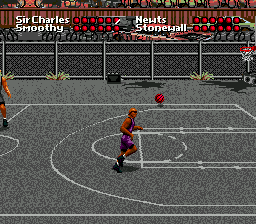
Barkley Shut Up and Jam! is a basketball game for the Sega Genesis that puts you in the shoes of former NBA all-star Charles Barkley. Released in the USA and Europe during the 16-bit era, this title takes the action away from the professional arena and onto the downtown basketball courts of various NBA cities. It is an arcade-style sports game that leans into the personality of its star player.
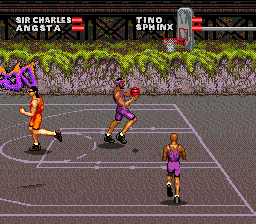
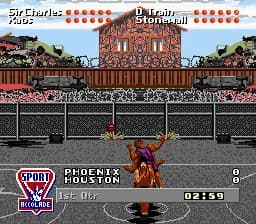
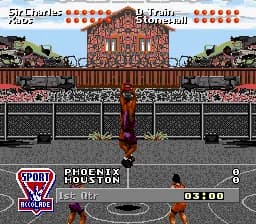
The core gameplay revolves around fast-paced street basketball. You control Barkley in matches, using the D-pad to move and buttons to jump, shoot, and perform flashy dunks. The objective is to outscore your opponent with aggressive offense and defense, emphasizing slam dunks and fast breaks. Each court has its own urban atmosphere, reflecting the cities of the league.
For retro gaming fans, this game offers a fun change of pace from more serious basketball simulations. Its arcade roots make it easy to pick up and play, and the Charles Barkley license adds personality. If you enjoy classic Genesis sports titles or want to see a famous athlete in a less polished setting, it is worth a quick match.
GAME INFO
- Platform
- SEGA Genesis
- Genre
- Sports
- Publisher
- Sony Imagesoft
- Developer
- Accolade
- Released
- 1993
- Region
- USA, Europe
More Barkley Shut Up and Jam! Games
Ready for another round? Explore more Barkley Shut Up and Jam! games and console editions. Choose a game below to play it on its own page.
How to play Barkley Shut Up and Jam! online
Jump into a game by selecting your mode from the main menu. You will typically choose between a quick game or a tournament style. Once on the court, use the D-pad to move Barkley around, and press the A button to jump for rebounds or blocks. The B button may allow you to run faster or perform a special move.
The core loop involves getting the ball, driving to the hoop, and attempting a dunk or a layup. On defense, you need to steal the ball or block shots. The game emphasizes scoring quickly and playing aggressively.
New players should start on an easier difficulty to get a feel for the controls. Pay attention to the timing for dunks, as each action requires precise input. Practice makes perfect in this fast-paced street game.
CONTROLS
Controls
- Arrow Keys: D-Pad / Movement
- X: A button
- S: B button
- Z: C button
- A: X button (6-button pad)
- Q: Y button (6-button pad)
- E: Z button (6-button pad)
- Enter: Start / Mode
Barkley Shut Up and Jam! FAQ
What makes Barkley Shut Up and Jam! stand out among SEGA Genesis titles of its era?
It features a famous NBA star in a street basketball setting rather than a professional league simulation. The arcade-style gameplay and urban court backdrop give it a distinct feel from more realistic sports games.
Is Barkley Shut Up and Jam! exclusive to SEGA Genesis or did it appear on other systems?
This game was released only for the Sega Genesis. No versions for other home consoles or handheld systems are known.
Which regions was Barkley Shut Up and Jam! released in?
The game saw release in North America and Europe. A Japanese release is not documented.
You may also like
All SEGA Genesis games











GAME INFO
- Platform
- SEGA Genesis
- Genre
- Sports
- Publisher
- Sony Imagesoft
- Developer
- Accolade
- Released
- 1993
- Region
- USA, Europe
COMMENTS (0)
No comments yet. Be the first to share your thoughts.