CHOOSE A VERSION
2 versions · same consoleChoose an original release, regional version, revision, bootleg or clearly labelled ROM hack/mod, then press Play. Hacks may change the gameplay. Switching versions restarts the player.
Selected: Default · USA · USA
The game loads when you press Play · press “Play Now” inside the game if it asks.
Barkley Shut Up and Jam! 2 (USA)
Barkley Shut Up and Jam! 2
Getting to Know Barkley Shut Up and Jam! 2
- SEGA Genesis
- Sports
- 5· 0 votes
GAME INFO
- Platform
- SEGA Genesis
- Genre
- Sports
- Players
- 1-2
- Region
- USA
More Barkley Shut Up and Jam! Games
Ready for another round? Explore more Barkley Shut Up and Jam! games and console editions. Choose a game below to play it on its own page.
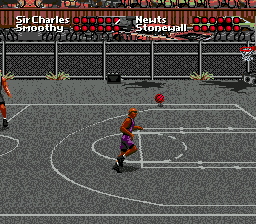
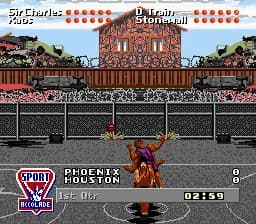
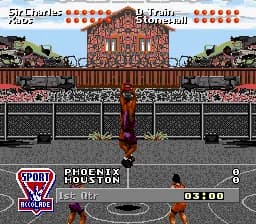
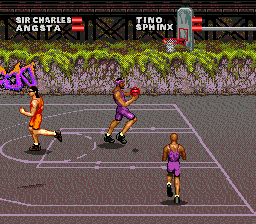
How to play Barkley Shut Up and Jam! 2 online
CONTROLS
Controls
- Arrow Keys: D-Pad / Movement
- X: A button
- S: B button
- Z: C button
- A: X button (6-button pad)
- Q: Y button (6-button pad)
- E: Z button (6-button pad)
- Enter: Start / Mode
Barkley Shut Up and Jam! 2 FAQ
Is there anything iconic or memorable about Barkley Shut Up and Jam! 2?
The title itself is memorable due to the aggressive phrasing and Charles Barkley's presence. However, specific iconic moments or cultural impact are not widely documented.
What type of game is Barkley Shut Up and Jam! 2?
It is a basketball sports game for the SEGA Genesis, centered on the sport's core mechanics of dribbling, passing, and shooting with a team of players.
Can players save progress in Barkley Shut Up and Jam! 2?
Information about save functionality is not widely documented. Many Genesis sports games from that era relied on passwords rather than battery saves, but this title's specifics are unclear.
You may also like
All SEGA Genesis games











GAME INFO
- Platform
- SEGA Genesis
- Genre
- Sports
- Players
- 1-2
- Region
- USA
COMMENTS (0)
No comments yet. Be the first to share your thoughts.