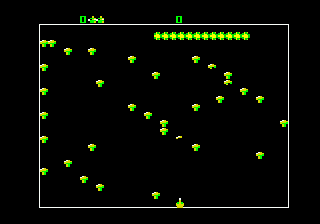
The game loads when you press Play · press “Play Now” inside the game if it asks.
Arcade Classics (USA, Europe)
Arcade Classics
Arcade Classics Overview
- SEGA Genesis
- Arcade
- Compilation
- 5· 0 votes
GAME INFO
- Platform
- SEGA Genesis
- Genre
- Arcade
- Region
- USA, Europe
How to play Arcade Classics online
Getting Started
When you first start Arcade Classics, you'll see a simple menu screen listing three different games. Use the D-Pad to highlight your choice and press Enter (Start) or X (A button) to select it. Each game has its own brief title screen before gameplay begins. The core loop is straightforward: you play each arcade game, try to survive as long as possible, and aim for a high score. There are no continues or save states - it's just pure old-school score chasing.
Each game uses the same basic control scheme: movement or aiming with the D-Pad (or a cursor in some games) and a single action button to fire or serve. The specific button assignments vary slightly per game, but the key is to use X (A button) as your primary action. For the ball-and-paddle game, the D-Pad moves your paddle left and right, and you press X to serve. For the shooting games, you move a crosshair or your character and press X to shoot. If you get lost, the game's built-in instructions are minimal, but the core mechanics are so intuitive that you'll be playing within seconds.
Since this is a compilation of three separate games, there's no overarching story to follow. You can switch between games at any time by resetting the emulator (V for Select plus Enter for Start) or by using the in-game menu if one is available. If you're new to these classic arcade titles, start with the ball-and-paddle game - it's the simplest to grasp. The other two games require a bit more hand-eye coordination but are equally rewarding once you get the hang of aiming and timing.
CONTROLS
Controls
- Arrow Keys: D-Pad / Movement
- X: A button
- S: B button
- Z: C button
- A: X button (6-button pad)
- Q: Y button (6-button pad)
- E: Z button (6-button pad)
- Enter: Start / Mode
Arcade Classics FAQ
Which regions was Arcade Classics released in?
The cartridge was released in the United States and Europe. There is no known Japanese version of this specific compilation.
Does Arcade Classics have a multiplayer or co-op mode?
One of the three included games supports two-player competition: the ball-and-paddle game. The other two games are single-player only. No cooperative modes are present.
Is Arcade Classics exclusive to SEGA Genesis or did it appear on other systems?
This particular compilation appears to be exclusive to the Sega Genesis. While the individual Atari games have been ported to countless platforms over the years, this three-in-one cartridge was only released on Genesis in North America and Europe.
You may also like
All SEGA Genesis games











GAME INFO
- Platform
- SEGA Genesis
- Genre
- Arcade
- Region
- USA, Europe
COMMENTS (0)
No comments yet. Be the first to share your thoughts.