The game loads when you press Play · press “Play Now” inside the game if it asks.
Power League V (Japan)
Power League V
Inside Power League V
- NEC TURBOGRAFX-16
- Sports
- 5· 0 votes
GAME INFO
- Platform
- NEC TURBOGRAFX-16
- Genre
- Sports
- Publisher
- Hudson Soft
- Developer
- Hudson Soft
- Released
- 1996
- Players
- 1-2
- Region
- Japan
More Power League Games
Ready for another round? Explore more Power League games and console editions. Choose a game below to play it on its own page.
How to play Power League V online
Getting Started
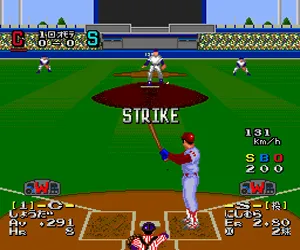
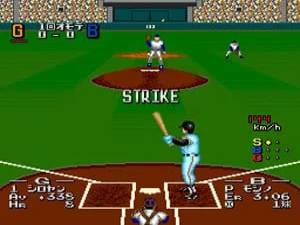
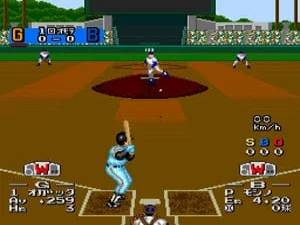
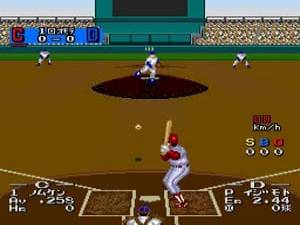
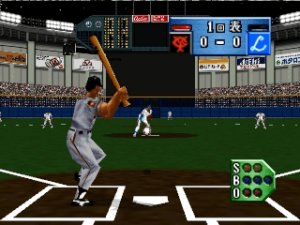
After starting the game, you'll be greeted with a Japanese title screen. Press Enter to proceed, then use the D-Pad to choose between modes like Exhibition, Season, or Options. In Exhibition, you'll pick two teams from a list of Japanese league clubs - names are written in katakana, but you can recognize team logos. If you want a quick game, just select two teams and hit X to begin.
The core loop is simple: when pitching, use the D-Pad to aim your pitch and press X to throw. When batting, watch the pitcher's delivery and time your swing with X. The game uses a three-strike, four-ball system like real baseball. If you hit the ball, use the D-Pad to run bases automatically or manually control baserunners by pressing the corresponding direction. Fielding is automated when the ball is in play, but you can manually throw to bases with X and directional input.
Since the menus are entirely in Japanese, you may want to learn a few key phrases: "試合" (shiai) means game, "操作" (sōsa) means control options, and "設定" (settei) means settings. A quick online lookup of common PC Engine baseball menu translations will help you navigate team selection and difficulty options. The game does not have save functionality, so seasons must be completed in one sitting or with a password system (Power League V uses passwords for season mode progress). Write down any password shown on screen to continue later.
CONTROLS
Controls
- Arrow Keys: D-Pad / Movement
- X: I button
- S: II button
- Enter: Run / Start
- V: Select
Power League V FAQ
Who developed Power League V?
Hudson Soft developed Power League V, the company also responsible for most of the PC Engine's library including the Bomberman and Adventure Island series.
Is Power League V exclusive to NEC TURBOGRAFX-16 or did it appear on other systems?
Power League V was released exclusively for the NEC TurboGrafx-16 (PC Engine) in Japan. It did not appear on other platforms, though the Power League series had entries on the Super Famicom and other consoles, but not this specific installment.
Can players save progress in Power League V?
Power League V does not support traditional save files on the HuCard. Instead, it uses a password system for season mode, allowing players to resume their season by entering a code shown on screen.
You may also like
All NEC TURBOGRAFX-16 games











GAME INFO
- Platform
- NEC TURBOGRAFX-16
- Genre
- Sports
- Publisher
- Hudson Soft
- Developer
- Hudson Soft
- Released
- 1996
- Players
- 1-2
- Region
- Japan
COMMENTS (0)
No comments yet. Be the first to share your thoughts.