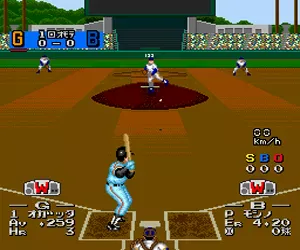
The game loads when you press Play · press “Play Now” inside the game if it asks.
Power League IV (Japan)
Power League IV
Power League IV Overview
- NEC TURBOGRAFX-16
- Sports
- 5· 0 votes
GAME INFO
- Platform
- NEC TURBOGRAFX-16
- Genre
- Sports
- Publisher
- Hudson Soft
- Developer
- Hudson Soft
- Released
- 1991
- Players
- 1-2
- Region
- Japan
More Power League Games
Ready for another round? Explore more Power League games and console editions. Choose a game below to play it on its own page.
How to play Power League IV online
CONTROLS
Controls
- Arrow Keys: D-Pad / Movement
- X: I button
- S: II button
- Enter: Run / Start
- V: Select
Power League IV FAQ
What type of game is Power League IV?
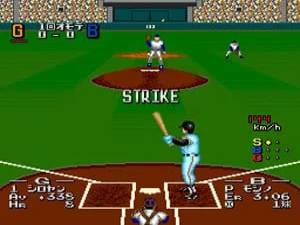
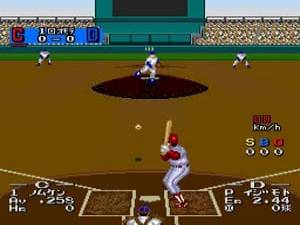
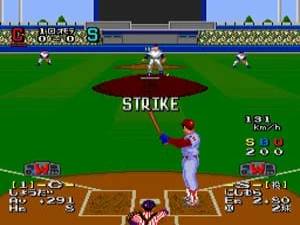
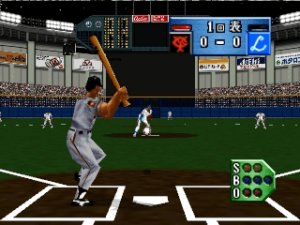
Power League IV is a baseball simulation game. It is part of the Power League series developed by Hudson Soft for the PC Engine/TurboGrafx-16. The game focuses on realistic gameplay with teams and players modeled after Japanese professional baseball.
Is Power League IV exclusive to NEC TURBOGRAFX-16 or did it appear on other systems?
Power League IV was released exclusively for the NEC TurboGrafx-16 (PC Engine) in Japan. It did not appear on other systems. Later entries in the series did come out on platforms like the Super Famicom, but this specific title remained a TurboGrafx-16 exclusive.
Is Power League IV considered easy to pick up or challenging?
The game is fairly easy to pick up for anyone familiar with baseball video games from the 8-bit and 16-bit era. The controls are simple, and the core loop is straightforward. However, the AI can be challenging on higher difficulty settings, and mastering the timing of the power meter for batting takes practice.
You may also like
All NEC TURBOGRAFX-16 games











GAME INFO
- Platform
- NEC TURBOGRAFX-16
- Genre
- Sports
- Publisher
- Hudson Soft
- Developer
- Hudson Soft
- Released
- 1991
- Players
- 1-2
- Region
- Japan
COMMENTS (0)
No comments yet. Be the first to share your thoughts.