The game loads when you press Play · press “Play Now” inside the game if it asks.
Space Invaders - The Original Game
Space Invaders - The Original Game
Space Invaders - The Original Game Overview
- NEC PC Engine CD
- Arcade
- 5· 0 votes
GAME INFO
- Platform
- NEC PC Engine CD
- Genre
- Arcade
- Players
- 1
- Region
- Japan
How to play Space Invaders - The Original Game online
CONTROLS
Controls
- Arrow Keys: D-Pad / Movement
- X: I button
- S: II button
- Enter: Run / Start
- V: Select
Space Invaders - The Original Game FAQ
Who developed Space Invaders - The Original Game?
The original Space Invaders was created by Tomohiro Nishikado and published by Taito in 1978. The specific development team for the PC Engine CD port is not widely documented, but it is generally attributed to Taito as part of their classic game conversions.
Does Space Invaders - The Original Game have a multiplayer or co-op mode?
No. This is a strictly single-player experience. Each round pits you alone against the alien horde, following the arcade original's design.
What makes Space Invaders - The Original Game stand out among NEC PC Engine CD titles of its era?
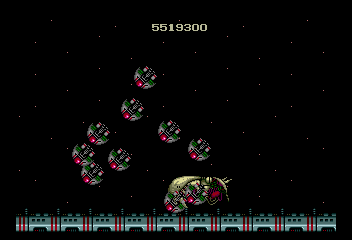
It stands out as a direct, high-fidelity port of one of the most influential arcade games ever made. The CD format allows for enhanced audio, and the game preserves the precise original mechanics without any gimmicks. It's a rare way to play a historical classic on a 16-bit console with near-perfect accuracy.
You may also like
All NEC PC Engine CD games









GAME INFO
- Platform
- NEC PC Engine CD
- Genre
- Arcade
- Players
- 1
- Region
- Japan
COMMENTS (0)
No comments yet. Be the first to share your thoughts.