The game loads when you press Play · press “Play Now” inside the game if it asks.
Bomberman - Panic Bomber
Bomberman - Panic Bomber
Bomberman - Panic Bomber: PCE-CD Puzzle
- NEC PC Engine CD
- Puzzle
- 5· 0 votes
Bomberman - Panic Bomber was released for the NEC PC Engine CD in 1994. The game was published by Hudson Soft, a company well known for their Bomberman series and other puzzle titles. While specific details about the development team behind this PC Engine CD version are scarce, it was created during a time when the platform was popular in Japan and developers were exploring the enhanced audio and graphical capabilities offered by the CD format. The hardware allowed for better soundtracks and animated visuals compared to earlier cartridge-based games, which suited puzzle games like Panic Bomber that relied on engaging audiovisual feedback.
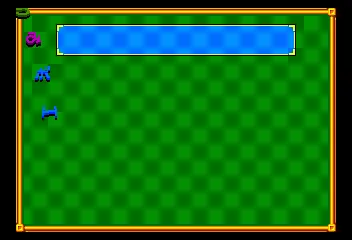
The gameplay of Panic Bomber diverges from the traditional Bomberman maze and action formula, focusing instead on a competitive puzzle format. Players match colored blocks in a vertical playfield, somewhat reminiscent of other falling block puzzle games popular in the early 90s. The goal is to clear blocks by creating combos and chains, which then send obstacles to the opponent’s screen in multiplayer. This shift to a puzzle-centric design allowed the Bomberman brand to experiment with a different type of game mechanic while retaining its competitive spirit. The pacing is generally fast and tense, demanding quick thinking and pattern recognition.
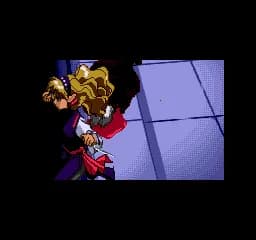
In retrospect, the game’s attempt to blend Bomberman’s charm with puzzle gameplay met with moderate success. It offers tight and challenging puzzle action that can be appreciated by fans of the genre, though it may feel niche compared to the more famous traditional Bomberman titles. The PC Engine CD version benefits from richer audio and animated cutscenes, which add to the presentation but do not significantly alter the core gameplay. Today, Panic Bomber is regarded as an interesting spin-off that showcases the flexibility of the Bomberman brand during the mid-90s puzzle craze on Japanese consoles.
GAME INFO
- Platform
- NEC PC Engine CD
- Genre
- Puzzle
- Publisher
- Hudson Soft
- Released
- 1994
- Players
- 1-2
- Region
- Japan
How to play Bomberman - Panic Bomber online
Playing Bomberman - Panic Bomber on the NEC PC Engine CD feels like stepping into a fast-paced puzzle battle where quick reflexes and strategic thinking are key. The game challenges players to clear blocks by matching colors and creating chain reactions, which adds a layer of tension as the playfield fills up. The competitive aspect shines in the two-player mode, where clearing combos sends obstacles to your opponent, increasing the stakes and providing an addictive back-and-forth dynamic.
The pacing is brisk, with new blocks continuously dropping and requiring immediate attention. This constant pressure keeps players engaged and rewards quick decision-making. The game hooks players by balancing the simplicity of matching blocks with the complexity of setting up larger combos and countering opponents’ attacks. It fits well within the puzzle genre conventions of early 90s CD-based systems, emphasizing multiplayer competition and replayability.
To succeed, focus on creating chain reactions rather than just clearing single sets of blocks. Planning ahead and watching your opponent’s progress can give you the upper hand. Staying calm under pressure and quickly adapting to new block patterns is essential for maintaining control of your playfield and mounting counterattacks.
CONTROLS
Controls
- Arrow Keys — D-Pad / Movement
- X — I button
- S — II button
- Enter — Run / Start
- V — Select
Bomberman - Panic Bomber FAQ
Who developed Bomberman - Panic Bomber?
Bomberman - Panic Bomber was published by Hudson Soft, but specific development team details for the NEC PC Engine CD version are not widely documented.
In what year was Bomberman - Panic Bomber originally released?
This title was originally released in 1994 exclusively in Japan for the NEC PC Engine CD.
Can players save progress in Bomberman - Panic Bomber?
The game does not feature a save function, as it follows the typical arcade-style puzzle design focused on single-session play and multiplayer matches.
You may also like
All NEC PC Engine CD games









GAME INFO
- Platform
- NEC PC Engine CD
- Genre
- Puzzle
- Publisher
- Hudson Soft
- Released
- 1994
- Players
- 1-2
- Region
- Japan
COMMENTS (0)
No comments yet. Be the first to share your thoughts.