The game loads when you press Play · press “Play Now” inside the game if it asks.
Metamor Jupiter
Metamor Jupiter
Inside Metamor Jupiter
- NEC PC Engine CD
- Shooter
- 5· 0 votes
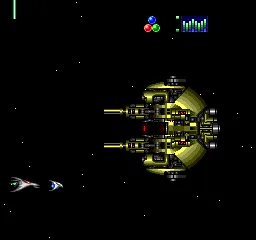
Metamor Jupiter is a side-scrolling shooter that landed on the NEC PC Engine CD in 1993. Developed by Flight-Plan and published by NEC for the Super CD-ROM² add-on, it joined a wave of shoot-em-ups that thrived on the platform during the early 90s. This one was exclusive to Japan, so if you're playing it now, you're likely on an emulator or with a translated copy.
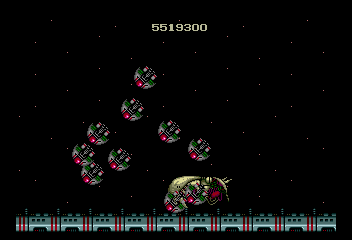
The player controls a ship or character (the exact protagonist isn't widely documented) and blasts through horizontally scrolling stages, dodging enemy fire and collecting power-ups along the way. Like many PC Engine shooters, the emphasis is on quick reflexes, memorizing enemy patterns, and strategic use of weapon upgrades. The CD format allowed for enhanced audio and cutscenes compared to the typical HuCard releases of the era.
While Metamor Jupiter isn't one of the system's most famous shooters, it's a solid example of the genre on the PC Engine CD. If you enjoy the straightforward run-and-gun style of games like R-Type or Gate of Thunder, this one is worth a look, especially for collectors who want to explore the less buzzed-about titles in NEC's library. It doesn't reinvent the wheel, but it delivers exactly what a fan of 90s shooters would expect.
GAME INFO
- Platform
- NEC PC Engine CD
- Genre
- Shooter
- Publisher
- NEC
- Developer
- Flight-Plan
- Released
- 1993
- Players
- 1
- Region
- Japan
How to play Metamor Jupiter online
Getting started. When you boot Metamor Jupiter, you'll be greeted by a title screen in Japanese. Press Start to advance, and Select to open the menu where you can start a new game or continue (if available). Since the menus are unlocalized, look for the kanji for "start" (スタート) or just try pressing X on the top option to begin.
The core loop is classic shooter stuff: fly forward, shoot everything that moves, collect power-up icons that drop from destroyed enemies or appear in fixed spots. Your ship can upgrade its weapon by grabbing the right items, and you'll need to dodge an increasing barrage of bullets and enemy formations. Each stage ends with a boss that requires pattern recognition to defeat.
There's no continues system built in, typically, but the PC Engine CD version might save your progress via battery backup. Experiment with the weapon types early to find one that suits your play style. The game is challenging but fair, so don't expect to 1CC it on your first try.
CONTROLS
Controls
- Arrow Keys: D-Pad / Movement
- X: I button
- S: II button
- Enter: Run / Start
- V: Select
Metamor Jupiter FAQ
What type of game is Metamor Jupiter?
Metamor Jupiter is a side-scrolling shooter from 1993, developed by Flight-Plan and published by NEC for the PC Engine Super CD-ROM². The player controls a ship and fights through stages while collecting weapon upgrades and dodging enemy attacks.
Is there anything iconic or memorable about Metamor Jupiter?
Memorable elements include the inclusion of CD-quality audio and animated cutscenes, which were a step up from standard HuCard shooters on the same platform. The game itself is a competent but not groundbreaking entry in the genre, best known today among collectors of Japanese PC Engine imports.
Does Metamor Jupiter have a multiplayer or co-op mode?
No, Metamor Jupiter is strictly a single-player experience. The game offers no cooperative or competitive multiplayer mode.
You may also like
All NEC PC Engine CD games









GAME INFO
- Platform
- NEC PC Engine CD
- Genre
- Shooter
- Publisher
- NEC
- Developer
- Flight-Plan
- Released
- 1993
- Players
- 1
- Region
- Japan
COMMENTS (0)
No comments yet. Be the first to share your thoughts.