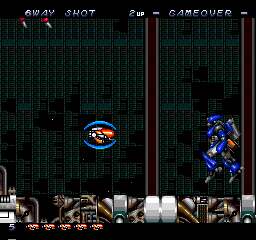
The game loads when you press Play · press “Play Now” inside the game if it asks.
Legion
Legion
Legion on PCE-CD
- NEC PC Engine CD
- Strategy
- 5· 0 votes
The core loop involves selecting units, issuing movement and attack orders, and managing limited resources across varied maps. Instead of direct control over a single character, you oversee multiple squads, balancing offense and defense while reacting to enemy advances. The interface relies on a menu system navigated with the D-pad and buttons, and since the game is entirely in Japanese, understanding the commands often requires some trial and error or prior knowledge of similar PC strategy games. Victory conditions typically involve destroying all opposing units or capturing key objectives.
For retro enthusiasts, Legion is a curiosity more than a must-play classic. Its clunky controls and language barrier can be off-putting, but it offers a glimpse into how developers adapted real-time strategy for consoles before the genre exploded in popularity. If you enjoy obscure PCE CD titles and have patience for opaque menus, it's a rewarding niche experience. Otherwise, it remains a historical footnote in the platform's library.
GAME INFO
- Platform
- NEC PC Engine CD
- Genre
- Strategy
- Publisher
- Nichibutsu
- Developer
- Nichibutsu
- Released
- 1987
- Players
- 1
- Region
- Japan
How to play Legion online
Getting Started
When you first boot Legion, you will be greeted by a title screen and a menu entirely in Japanese. Press Enter to start, then use the D-pad and A (X) to select the first option (likely New Game). Since there is no English translation, you will learn by experimentation. The opening scene may give a brief story setup in text, but the core gameplay is straightforward once you understand the interface.
The game plays as a real-time strategy. You control multiple units on a map. Use the D-pad to move a cursor, and press A (X) to select a unit or squad. Then press A again on a destination or enemy to issue a move or attack command. The B button (S) cancels selections. You manage resources like energy or credits shown in a top bar. The goal is usually to defeat all enemy units or capture their base.
Pay close attention to unit health and ammo indicators. If you get stuck, try pressing Select (V) to bring up an in-game menu, which might allow saving. Because menus are unlocalized, take notes on what each option does as you test it. Patience is key - start with small skirmishes to learn the control flow before tackling larger scenarios.
CONTROLS
Controls
- Arrow Keys: D-Pad / Movement
- X: I button
- S: II button
- Enter: Run / Start
- V: Select
Legion FAQ
Roughly how long does it take to finish Legion?
Completion time is not widely documented, but as a real-time strategy game of the early 90s, expect around 4 to 8 hours depending on your familiarity with the genre and the language barrier.
Is Legion an official release, a fan hack, a prototype, or another kind of build?
Legion is an official commercial release for the NEC PC Engine CD. It was sold at retail in Japan and is not a hack, mod, or prototype.
Who developed Legion?
The exact developer is not clearly recorded in common databases. It was likely handled by a small studio, but the name remains unconfirmed.
You may also like
All NEC PC Engine CD games









GAME INFO
- Platform
- NEC PC Engine CD
- Genre
- Strategy
- Publisher
- Nichibutsu
- Developer
- Nichibutsu
- Released
- 1987
- Players
- 1
- Region
- Japan
COMMENTS (0)
No comments yet. Be the first to share your thoughts.