
The game loads when you press Play · press “Play Now” inside the game if it asks.
Image Fight 2 - Operation Deepstriker
Image Fight 2 - Operation Deepstriker
Getting to Know Image Fight 2 - Operation Deepstriker
- NEC PC Engine CD
- Shooter
- 5· 0 votes
GAME INFO
- Platform
- NEC PC Engine CD
- Genre
- Shooter
- Released
- 1992
- Players
- 1
- Region
- Japan
More Image Fight Games
Ready for another round? Explore more Image Fight games and console editions. Choose a game below to play it on its own page.
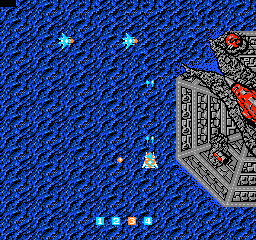
How to play Image Fight 2 - Operation Deepstriker online
CONTROLS
Controls
- Arrow Keys: D-Pad / Movement
- X: I button
- S: II button
- Enter: Run / Start
- V: Select
Image Fight 2 - Operation Deepstriker FAQ
Who developed Image Fight 2 - Operation Deepstriker?
Irem developed the original Image Fight arcade game, and this sequel for the PC Engine CD was also handled by Irem. However, specific team details for the PC Engine port are not widely documented.
Can players save progress in Image Fight 2 - Operation Deepstriker?
This game does not include any save or password system. Progress is lost when the system is turned off, so players must beat the entire game in a single session or rely on emulator save states.
Is Image Fight 2 - Operation Deepstriker exclusive to NEC PC Engine CD or did it appear on other systems?
It appears to be exclusive to the NEC PC Engine CD. No ports to other platforms like the Super Nintendo or Sega Genesis have been documented, and it never received a Western release.
You may also like
All NEC PC Engine CD games









GAME INFO
- Platform
- NEC PC Engine CD
- Genre
- Shooter
- Released
- 1992
- Players
- 1
- Region
- Japan
COMMENTS (0)
No comments yet. Be the first to share your thoughts.