The game loads when you press Play · press “Play Now” inside the game if it asks.
Genocide
Genocide
What is Genocide?
- NEC PC Engine CD
- Shooter
- 5· 0 votes
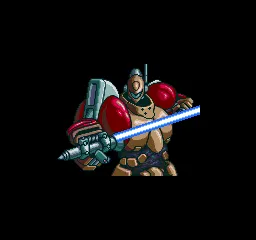
Genocide is a shoot 'em up released for the NEC PC Engine CD in Japan in the early 1990s. Like many titles on that platform, it took advantage of the CD-ROM format for enhanced audio and cutscenes. The exact developer is not widely documented, but it belongs to the classic wave of side-scrolling shooters that defined the era.
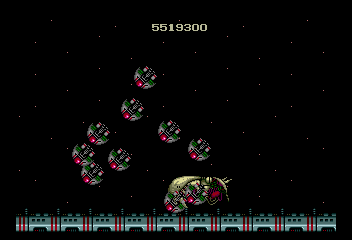
Control a spacecraft navigating through enemy-filled stages, dodging bullet patterns and collecting power-ups to upgrade weaponry. The core loop involves clearing waves of enemies while avoiding collisions, with larger bosses appearing at the end of each level. The game uses a standard arcade-style scoring system and offers a difficulty curve that ramps up quickly.
For retro shooter fans, Genocide holds appeal as a solid example of PC Engine CD's shooter library. It does not reinvent the genre but delivers a satisfying experience with its fast pacing and audiovisual presentation. If you enjoy classic shooters like R-Type or Gradius, this is worth a session, though its Japanese menus may require some familiarity.
GAME INFO
- Platform
- NEC PC Engine CD
- Genre
- Shooter
- Publisher
- Kemco
- Developer
- Zoom
- Released
- 1992
- Players
- 1
- Region
- Japan
More Genocide Games
Ready for another round? Explore more Genocide games and console editions. Choose a game below to play it on its own page.
How to play Genocide online
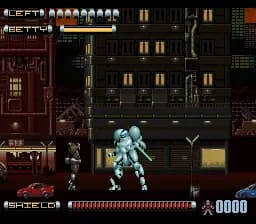
After launching the game, you will likely see a Japanese title screen. Press Start (Enter) to proceed to the main menu. The first option is usually "Start Game" or "New Game" - confirm with X. Once the game begins, your ship automatically moves forward; use the D-Pad to steer and the B button (S) to fire. Collect weapon power-ups (often floating icons) to change your shot type; some power-ups also grant shields or speed boosts. The key is to memorize enemy patterns and position yourself to avoid dense bullet spreads. Each stage ends with a boss fight requiring quick reflexes. Since menus are in Japanese, you may need to experiment with options to find settings like difficulty or sound test.
CONTROLS
Controls
- Arrow Keys: D-Pad / Movement
- X: I button
- S: II button
- Enter: Run / Start
- V: Select
Genocide FAQ
Is Genocide exclusive to NEC PC Engine CD or did it appear on other systems?
Genocide was released only for the NEC PC Engine CD. No known ports exist for other platforms.
What makes Genocide stand out among NEC PC Engine CD titles of its era?
Its fast-paced action and CD-quality soundtrack set it apart, along with a notorious difficulty level that appeals to hardcore shooter enthusiasts.
Who developed Genocide?
The developer of Genocide is not widely documented in English sources.
You may also like
All NEC PC Engine CD games









GAME INFO
- Platform
- NEC PC Engine CD
- Genre
- Shooter
- Publisher
- Kemco
- Developer
- Zoom
- Released
- 1992
- Players
- 1
- Region
- Japan
COMMENTS (0)
No comments yet. Be the first to share your thoughts.