The game loads when you press Play · press “Play Now” inside the game if it asks.
F1 Circus Special - Pole to Win
F1 Circus Special - Pole to Win
F1 Circus Special - Pole to Win Overview
- NEC PC Engine CD
- Racing
- 5· 0 votes
You take control of a Formula 1 team, working through a full season of races. The core loop involves qualifying to set your grid position, then racing against AI opponents over multiple laps. You'll manage tire wear, fuel loads, and pit stop timing, though the simulation depth never gets overwhelming. The CD version added a few voice clips and a basic replay mode, but the on-track action is straightforward: pick a car, adjust a few settings, and drive.
For modern retro enthusiasts, F1 Circus Special - Pole to Win is a decent snapshot of how console racing sims evolved before the PlayStation era. It's not particularly deep, but the CD format gives it a bit of polish over its cartridge siblings. The Japanese menus can be a barrier, but the core racing is intuitive enough to pick up without reading everything. If you're a fan of vintage F1 games and have a soft spot for the PC Engine's library, this one is worth a quick spin. It doesn't break any ground, but it's a solid time capsule of early 90s console racing.
GAME INFO
- Platform
- NEC PC Engine CD
- Genre
- Racing
How to play F1 Circus Special - Pole to Win online
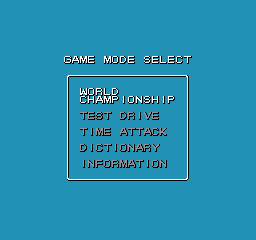
The game boots to a title screen, then you'll likely see a menu in Japanese. Use the D-Pad to navigate and the A button (X key) to confirm. The main options are typically Grand Prix, Time Trial, and Options. Select Grand Prix to start a championship. You'll pick a team or car from a list - names are in English or katakana, so you can recognize the real F1 constructors of the era. After that, you'll enter a qualifying session where you set your best lap time to determine your starting grid. Once qualifying ends, the race begins. Your goal is to finish as high as possible; points are awarded based on position. You can pit for tires and fuel if the race is long enough - look for a pit icon on the HUD. The game will auto-advance after the race to the next circuit. Menu text is almost entirely Japanese, but the racing itself requires no language skills. If you get stuck, trial and error on the menus is usually enough to get into a race.
CONTROLS
Controls
- Arrow Keys: D-Pad / Movement
- X: I button
- S: II button
- Enter: Run / Start
- V: Select
F1 Circus Special - Pole to Win FAQ
Who developed F1 Circus Special - Pole to Win?
The exact development team behind this specific title is not widely documented in English sources. The F1 Circus series as a whole was produced by Nihon Bussan (also known as Nichibutsu), so it is likely they handled development as well.
Is there anything iconic or memorable about F1 Circus Special - Pole to Win?
This entry is memorable for being one of the few PC Engine CD games to focus on Formula 1 racing during a time when the format was still niche. The use of CD-quality audio for engine sounds and background music gives it a slight edge over its HuCard counterparts.
Which regions was F1 Circus Special - Pole to Win released in?
The game was released exclusively in Japan. It never saw an official North American or European release, though it can now be played via emulation worldwide.
You may also like
All NEC PC Engine CD games
GAME INFO
- Platform
- NEC PC Engine CD
- Genre
- Racing
COMMENTS (0)
No comments yet. Be the first to share your thoughts.