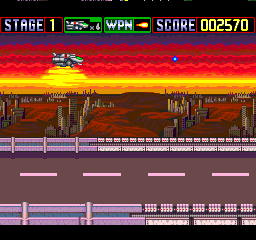
The game loads when you press Play · press “Play Now” inside the game if it asks.
Download II
Download II
Inside Download II
- NEC PC Engine CD
- Action
- 5· 0 votes
GAME INFO
- Platform
- NEC PC Engine CD
- Genre
- Action
- Region
- Japan
More Download Games
Ready for another round? Explore more Download games and console editions. Choose a game below to play it on its own page.
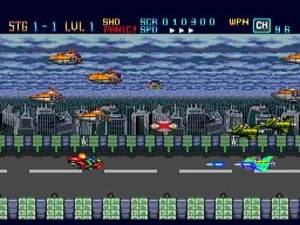
How to play Download II online
Getting Started
When you boot up Download II, you will be greeted with a title screen in Japanese. Press Start to proceed. The game likely begins with a brief story introduction or a stage select. You control a character moving through side-scrolling or top-down levels, shooting enemies and collecting items. The core loop involves clearing stages, defeating bosses, and progressing through the story.
Keep an eye on your health bar and ammunition. The B button is your primary attack, while A may be used for jumping or special actions. If the game offers a weapon upgrade system, experiment with different pickups. Menus are in Japanese, so remember that the confirm button is X and cancel is S. Take your time learning the patterns of enemies and hazards. Save states in the emulator can help you practice tricky sections.
CONTROLS
Controls
- Arrow Keys: D-Pad / Movement
- X: I button
- S: II button
- Enter: Run / Start
- V: Select
Download II FAQ
Who developed Download II?
The developer of Download II is not widely documented, but the original Download for PC Engine CD was created by Riverhill Software. It is likely the same studio handled the sequel.
What type of game is Download II?
Download II is an action game that mixes shooting and exploration, often categorized as a run-and-gun or side-scrolling shooter. It was designed for the NEC PC Engine CD platform.
Is Download II exclusive to NEC PC Engine CD or did it appear on other systems?
Download II appears to have been released only for the NEC PC Engine CD in Japan. There are no known ports to other systems.
You may also like
All NEC PC Engine CD games









GAME INFO
- Platform
- NEC PC Engine CD
- Genre
- Action
- Region
- Japan
COMMENTS (0)
No comments yet. Be the first to share your thoughts.