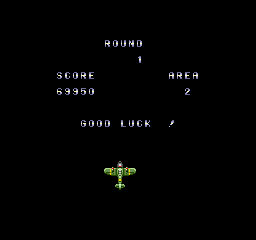
The game loads when you press Play · press “Play Now” inside the game if it asks.
Daisenpuu Custom
Daisenpuu Custom
Getting to Know Daisenpuu Custom
- NEC PC Engine CD
- Shooter
- 5· 0 votes
Daisenpuu Custom is a vertically scrolling shooter released for the NEC PC Engine CD in Japan. Part of the Daisenpuu series, this disc-based port offers enhanced audio and additional content over its arcade predecessor. While the exact developer remains unconfirmed in widely available records, the game was published by Taito and represents a solid entry in the system's shooter library.
The player controls a fighter craft through increasingly difficult stages filled with enemy waves, large bosses, and bullet patterns. Power-ups alter the main weapon and add satellite pods that provide additional firepower and defensive options. A secondary bomb attack clears the screen of enemies and projectiles in a pinch. The CD format brings a redbook soundtrack and brief cutscenes that frame the action.
For fans of 16-bit shooters, Daisenpuu Custom offers a challenging but fair experience typical of the era. It is a good choice for players who enjoy classic arcade-style shmups like Gradius or R-Type, though its pacing and weapon system have their own distinct flavor. The Japanese-language menus might intimidate some, but the core gameplay is easy to pick up and enjoy.
GAME INFO
- Platform
- NEC PC Engine CD
- Genre
- Shooter
- Publisher
- Taito
- Region
- Japan
How to play Daisenpuu Custom online
Getting Started
When you first boot up Daisenpuu Custom, you will see a title screen with menus in Japanese. Press Enter to start and then select your ship or weapon type using the D-Pad and A button. The game immediately throws you into action - move with the arrow keys and shoot with X. Your goal is to survive each level by destroying all enemies and defeating the boss at the end.
The core loop is simple: progress through scrolling stages, collect power-up items that appear from destroyed enemies, and use bombs (S button) to clear dangerous situations. Your ship can equip different main weapons and satellite formations; experiment to find what suits your playstyle. Losing all lives sends you back to the title screen, but you can continue by pressing Start on the game over screen.
Since menus are entirely in Japanese, it helps to know that the first option on the title screen starts the game, and the second opens a sound test or options screen. The in-game HUD shows lives, bombs, and power-up gauge at the bottom. Take your time learning enemy patterns - they are fundamental to survival.
CONTROLS
Controls
- Arrow Keys: D-Pad / Movement
- X: I button
- S: II button
- Enter: Run / Start
- V: Select
Daisenpuu Custom FAQ
Which regions was Daisenpuu Custom released in?
Daisenpuu Custom was released exclusively in Japan. It did not see an official release in North America or Europe on the PC Engine CD.
In what year was Daisenpuu Custom originally released?
The exact release year is not widely documented in verifiable sources. Most references place it around 1992, but this cannot be confirmed with certainty.
Who developed Daisenpuu Custom?
Information about the developer is not widely documented. The game is commonly associated with Taito as publisher, but the specific development studio remains unconfirmed in standard archives.
You may also like
All NEC PC Engine CD games









GAME INFO
- Platform
- NEC PC Engine CD
- Genre
- Shooter
- Publisher
- Taito
- Region
- Japan
COMMENTS (0)
No comments yet. Be the first to share your thoughts.