🔊 Tap Play, then press “Play Now”

Browning

0 Favorites 0 Likes 15 Views
Rate this game:
Embed Code
Browning
NEC PC Engine CD Action Pub Telenet Japan 1992 Japan 5 (0) 15

Browning

Browning: PCE-CD Action

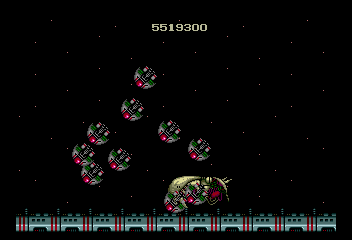
Browning is a title for the NEC PC Engine CD, released during the early 1990s when the platform was thriving in Japan. While specific developer and publisher details are not widely documented, the game is an officially released CD-ROM title for the system. The PC Engine CD was known for its enhanced audio and larger storage capabilities compared to cartridge-based games, and Browning likely took advantage of these features. It is a Japanese-exclusive release, so players will encounter Japanese text throughout.

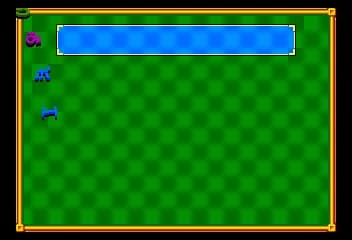
As the game's exact mechanics are not well recorded, it is understood to belong to the action genre, which was common on the platform. Players typically control a character or vehicle through side-scrolling or top-down levels, using the PC Engine CD's improved sound and graphics to deliver cinematic experiences. The core gameplay likely involves shooting or combat, given the title's association with firearms, but this is speculative. Without further documentation, the precise structure remains unclear to modern audiences.

For today's retro gaming enthusiasts, Browning represents a rare piece of PC Engine CD history. Its obscurity makes it a curiosity for collectors and those exploring the depths of Japanese CD-ROM libraries. It may not be a standout title in the same league as iconic releases, but its mystery adds to its appeal for fans of deep catalog dives. Emulating it allows a glimpse into a niche corner of early '90s gaming culture.

How to Play Browning Online

Getting Started

To begin playing Browning, simply load the game in your browser-based NEC PC Engine CD emulator. Since this is a Japanese-only title, the menus and any on-screen text are entirely in Japanese. If you cannot read the language, you may need to experiment with the button inputs to start the game - pressing Enter for Start and V for Select is a safe bet. Look for the title screen and try pressing these keys to progress.

Once the game starts, observe the initial screen to understand the basic layout. Most PC Engine CD games of this era use a simple control scheme: the D-Pad moves your character, and the A button (X on keyboard) is used to attack or confirm actions. The B button (S) typically cancels or performs a secondary action like dashing. If unsure, test each button to see what happens. The core loop likely involves moving through levels and defeating enemies.

If you find yourself stuck at a menu, remember that the Japanese character for start often appears as スタート, and select as セレクト. Use the arrow keys to navigate options if a cursor is visible. With patience and a bit of trial and error, you can get past the language barrier and experience the game.

Browning Keyboard Controls

Controls

  • Arrow Keys: D-Pad / Movement
  • X: I button
  • S: II button
  • Enter: Run / Start
  • V: Select

Frequently Asked Questions

Does Browning have a multiplayer or co-op mode?
Based on available information, Browning appears to be a single-player experience. Most PC Engine CD games of this era did not include multiplayer features, and the known contexts for this title do not mention any cooperative or competitive modes.
Is there anything iconic or memorable about Browning?
Browning is not widely recognized as a standout title, and its legacy is mostly unknown to the broader gaming community. Its claim to fame is being a rare PC Engine CD release, making it interesting mainly for completionists and collectors of obscure Japanese software.
Who developed Browning?
The developer of Browning is not documented in the available sources. It may have been produced by a smaller studio or an uncredited team, as many lesser-known PC Engine CD titles lacked detailed credit information. Without further records, the developer remains unknown.

Comments (0)

    More Action Games