
The game loads when you press Play · press “Play Now” inside the game if it asks.
Hardball
Hardball
What is Hardball?
GAME INFO
More Hardball Games
Ready for another round? Explore more Hardball games and console editions. Choose a game below to play it on its own page.
How to play Hardball online
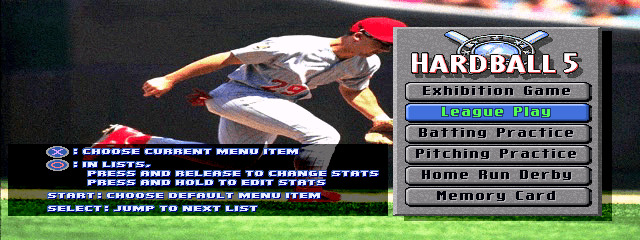
Getting started with HardBall! on the MSX 2 is pretty straightforward. When you boot the game, you'll likely see a title screen and a prompt to press a key to start. The main menu lets you choose between a single-player game (you vs. CPU) or a two-player game. Use the arrow keys to highlight your choice and press X to confirm. The game will then proceed to the first inning.
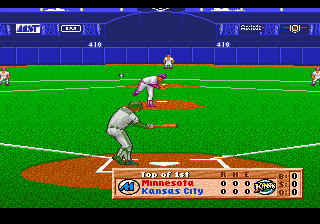
The core loop is simple: pitch, bat, field, repeat. As the pitcher, you select a pitch type (fastball, curve, etc.) and location by moving a cursor on the strike zone with the arrow keys, then press the B button to throw. As the batter, you must time your swing - press the A button just as the ball reaches the plate. If you hit, you'll control the batter running to first base (or further) using the D-pad and button presses to advance or return. In the field, you control the closest fielder (the game auto-switches) and try to catch the ball and throw it to a base.
There are a few things new players should know. First, the game uses a simple stat system: each player has a batting average and pitching rating, but you don't have to manage a roster. Second, base running is semi-automatic - you'll need to press a button to make the runner go, but the computer handles some decisions. The MSX 2 version has English menus (since it's an American game), so no language barrier. If you've ever played baseball video games from the 8-bit era, you'll pick this up in minutes. Just be patient with the controls - they take a little practice but are responsive.
CONTROLS
Controls
- Arrow Keys: D-Pad / Movement
- X: Trigger 1
- S: Trigger 2
- Enter: Start
Hardball FAQ
Who developed Hardball?
Hardball was developed and published by Accolade, a company known for sports and action games in the 1980s. The original version was created for the Commodore 64, with ports later handled by Accolade or external studios.
What makes Hardball stand out among MSX 2 titles of its era?
It was one of the few baseball simulations on the MSX 2 that offered a full nine-inning game with pitching, batting, and fielding controls. Most MSX 2 baseball games were simpler arcade-style affairs, so Hardball's simulation approach gave it a niche appeal.
Does Hardball have a multiplayer or co-op mode?
Yes, Hardball includes a two-player versus mode where each player controls one team. There is no cooperative mode - both players compete against each other using separate sides of the keyboard.












COMMENTS (0)
No comments yet. Be the first to share your thoughts.