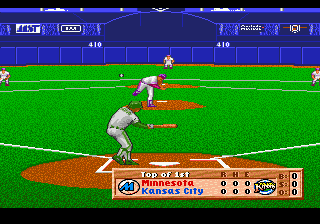
The game loads when you press Play · press “Play Now” inside the game if it asks.
HardBall III (USA)
HardBall III
About HardBall III
- SEGA Genesis
- Sports
- 5· 0 votes
GAME INFO
- Platform
- SEGA Genesis
- Genre
- Sports
- Publisher
- accolade
- Released
- 1992
- Players
- 1-2
- Region
- USA
More HardBall Games
Ready for another round? Explore more HardBall games and console editions. Choose a game below to play it on its own page.

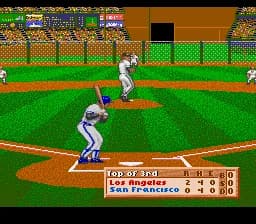
How to play HardBall III online
Getting Started
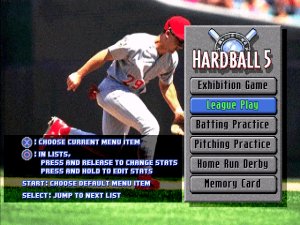
When you first boot up HardBall III, you'll see a title screen and then a menu. Use the D-Pad to navigate options like Exhibition, Season, or All-Star Game. Select a mode and then choose your teams from the available MLBPA-licensed rosters. The core loop is straightforward: pitch and field on defense, bat and run bases on offense.
Pitching requires picking a pitch type and location using the D-Pad before pressing the A button to throw. Batting involves timing your swing with the A button as the ball comes in. Fielding uses the D-Pad to move your player and the B button to throw the ball. The game keeps a scoreboard and tracks innings like a real baseball game.
New players should start with Exhibition mode to get a feel for the controls without pressure. Pay attention to the pitch meter and batter's stance. The game does not include a tutorial, so trial and error is part of the experience. Also, check the options menu to adjust game speed or innings length if you want a quicker match.
CONTROLS
Controls
- Arrow Keys: D-Pad / Movement
- X: A button
- S: B button
- Z: C button
- A: X button (6-button pad)
- Q: Y button (6-button pad)
- E: Z button (6-button pad)
- Enter: Start / Mode
HardBall III FAQ
Roughly how long does it take to finish HardBall III?
A single nine-inning game takes about 30 to 45 minutes depending on scoring and player speed. There is no story mode or campaign to complete, so play time is determined by how many games you want to play in Season mode or exhibition matches.
Is HardBall III exclusive to SEGA Genesis or did it appear on other systems?
HardBall III was not exclusive to the SEGA Genesis. It also saw releases on MS-DOS and the Super Nintendo Entertainment System in the same time period, with each version having slight differences in graphics and interface.
Who developed HardBall III?
MindSpan handled the development of HardBall III. The game was published by Accolade, a company known for sports titles like the HardBall series and Test Drive.
You may also like
All SEGA Genesis games











GAME INFO
- Platform
- SEGA Genesis
- Genre
- Sports
- Publisher
- accolade
- Released
- 1992
- Players
- 1-2
- Region
- USA
COMMENTS (0)
No comments yet. Be the first to share your thoughts.