The game loads when you press Play · press “Play Now” inside the game if it asks.
Predator
Predator
Predator Overview
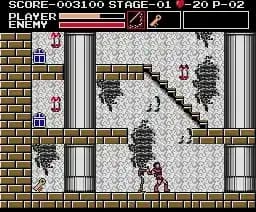
Starting Predator on the MSX 2 plunges players into a tense and deliberate pace common to many action titles of the late 1980s. The opening moments set a mood of cautious exploration and measured combat, with visuals that emphasize shadowy environments and pixel art that conveys a gritty atmosphere. Movement and enemy encounters unfold steadily, requiring players to balance offense and defense as they adapt to the game’s rhythm.
Predator was released exclusively in Japan in 1987 for the MSX 2 platform. The game is a single-player action title, though detailed information about its developer and publisher is not widely documented. As a licensed tie-in based loosely on the popular Predator franchise, it attempts to recreate the suspense and combat dynamics associated with the source material within the technical limits of the MSX 2 hardware.
In the context of 1980s action games on home computers, Predator fits into the era’s trend of licensed action titles that combine exploration and shooting elements. While it may feel dated by modern standards, its design reflects the limitations and style of its time, offering a niche experience for fans of retro action games and those interested in early adaptations of popular movie licenses. The game’s pacing and challenge retain a sense of authenticity for collectors and enthusiasts of the MSX 2 library.
GAME INFO
- Platform
- MSX 2
- Genre
- Action
- Publisher
- Activision
- Developer
- Electric Dreams Software
- Released
- 1987
- Players
- 1
- Region
- Japan
More Predator Games
Ready for another round? Explore more Predator games and console editions. Choose a game below to play it on its own page.
How to play Predator online
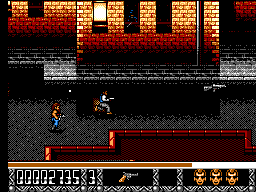
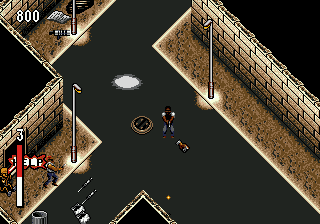
Predator on the MSX 2 is a single-player action game where you navigate through levels filled with enemies and obstacles. Your main goal is to survive encounters and progress through the stages, using your weapons strategically. The game emphasizes careful movement and timing, so familiarize yourself with enemy patterns and conserve your resources as you explore.
A good tip is to stay alert for enemy attack cues and use cover effectively, as reaction time is key in avoiding damage. Also, pacing your attacks rather than rushing forward can help extend your survival in the game’s challenging environments.
CONTROLS
Controls
- Arrow Keys — D-Pad / Movement
- X — Trigger 1
- S — Trigger 2
- Enter — Start
Predator FAQ
Can players save progress in Predator?
The game does not support saving progress. Players need to complete the game in a single session or use passwords if provided, though such features are not widely confirmed.
Is Predator exclusive to MSX 2 or did it appear on other systems?
Predator for MSX 2 appears to be a Japan-only release specific to that platform. There are no widely documented versions for other systems.
Which regions was Predator released in?
Predator was released exclusively in Japan, with no known official releases in other regions.
You may also like
All MSX 2 games










GAME INFO
- Platform
- MSX 2
- Genre
- Action
- Publisher
- Activision
- Developer
- Electric Dreams Software
- Released
- 1987
- Players
- 1
- Region
- Japan
COMMENTS (0)
No comments yet. Be the first to share your thoughts.