The game loads when you press Play · press “Play Now” inside the game if it asks.
Thexder
Thexder
Thexder Overview
- MSX 1
- Run and Gun
- 5· 0 votes
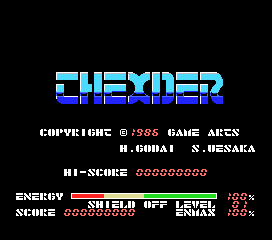
The player controls a robotic mecha through side-scrolling levels, shooting down enemy forces and avoiding obstacles. The core loop involves moving forward, blasting anything that moves, and collecting power-ups that enhance your weaponry. While the game is fundamentally a run and gun, it also demands quick reflexes and pattern recognition to survive waves of enemies. Each stage ends with a boss encounter that tests the skills you've built up along the way.
Thexder holds a notable place in retro gaming history as one of the early successes for Game Arts and a showcase of what the MSX could do in terms of smooth scrolling and responsive controls. It's a straightforward but challenging shooter that rewards memorization and precision. If you enjoy 80s arcade-inspired action with a mecha theme, this is a solid pick that doesn't oversell its depth - it's pure, unapologetic run and gun fun.
GAME INFO
- Platform
- MSX 1
- Genre
- Run and Gun
- Publisher
- Game Arts
- Developer
- Game Arts
- Released
- 1985
- Players
- 1
- Region
- Japan
How to play Thexder online
Getting Started
When you start Thexder on MSX, you'll be dropped into the first stage with no explanation - this was common for 80s games. Your goal is simple: move right, shoot enemies, and survive. Use the Arrow Keys to move, S to fire your weapon, and X to jump. The core loop is clearing each screen of threats while collecting power-up capsules that appear after destroying certain enemies. These can upgrade your gun or give you temporary shields.
Watch for the iconic transformation ability - your mecha can switch between a walking robot and a jet plane, though the exact method may vary between versions. In the MSX port, this is typically done by pressing a specific button (try Z or A). The jet mode lets you fly over obstacles but makes you more vulnerable. Use it strategically to traverse gaps or dodge ground-based attacks.
Menus and on-screen text are entirely in Japanese, but the game is straightforward enough that you can start playing without reading anything. The difficulty ramps up quickly, so memorizing enemy patterns and power-up locations is key. Dying sends you back to the beginning of the stage, so patience and practice are necessary to see the later levels.
CONTROLS
Controls
- Arrow Keys: D-Pad / Movement
- X: Trigger 1
- S: Trigger 2
- Enter: Start
Thexder FAQ
Who developed Thexder?
Game Arts developed Thexder, originally releasing it for the NEC PC-8801 in 1985 before porting it to several other systems including the MSX 1.
Is there anything iconic or memorable about Thexder?
Thexder is known for its transforming mecha that switches between a walking robot and a jet plane, a feature that became a hallmark of Game Arts' later shooters. The game's commercial success, selling over a million units, also made it a landmark title for the developer.
Is Thexder considered easy to pick up or challenging?
Thexder is a challenging game typical of the mid-80s arcade style, with tight timing and enemy patterns that require repetition to overcome. New players should expect to die frequently but will find the core loop intuitive once they grasp the controls.
You may also like
All MSX 1 games











GAME INFO
- Platform
- MSX 1
- Genre
- Run and Gun
- Publisher
- Game Arts
- Developer
- Game Arts
- Released
- 1985
- Players
- 1
- Region
- Japan
COMMENTS (0)
No comments yet. Be the first to share your thoughts.