CHOOSE A VERSION
2 versions · same consoleChoose an original release, regional version, revision, bootleg or clearly labelled ROM hack/mod, then press Play. Hacks may change the gameplay. Switching versions restarts the player.
Selected: Default · USA · USA
The game loads when you press Play · press “Play Now” inside the game if it asks.
Xtreme Wheels (USA)
Xtreme Wheels
Xtreme Wheels Overview
- Game Boy Color
- Racing
- 5· 0 votes
GAME INFO
- Platform
- Game Boy Color
- Genre
- Racing
- Players
- 1
- Region
- USA
How to play Xtreme Wheels online
Getting Started
When you first load Xtreme Wheels, you'll see a title screen followed by a menu. Use the D-Pad to highlight options and press the A button (mapped to X on your keyboard) to select. Typically you'll start a single-player race or grand prix mode. If there's a car select screen, pick one that suits your style - vehicles may differ slightly in speed or handling.
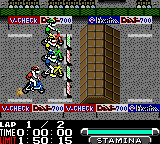
The race begins after a countdown. Hold the A button to accelerate and use the D-Pad to steer left and right on the track. When approaching tight turns, tap the B button (S key) to brake or slow down. Watch for obstacles like barriers or other racers. The position indicator at the top of the screen shows your current rank. You need to finish in first place to progress to the next track.
If you crash or go off the track, you'll lose time, so it's better to brake early than overshoot a turn. The game doesn't have complex power-ups or weapons - it's pure racing. Your goal is to learn the track layout and find the fastest line. Winning all races unlocks more courses. If you're new, start with the easiest difficulty and practice cornering without hitting walls.
CONTROLS
Controls
- Arrow Keys: D-Pad / Movement
- X: A button (jump / confirm)
- S: B button (run / attack / cancel)
- Enter: Start / Pause
- V: Select
Xtreme Wheels FAQ
Who developed Xtreme Wheels?
The developer of Xtreme Wheels is not widely documented. It appears to have been created by a smaller studio or possibly an in-house team for a publisher that hasn't been clearly identified in standard retro gaming databases.
Is Xtreme Wheels exclusive to Game Boy Color or did it appear on other systems?
Xtreme Wheels appears to be exclusive to the Game Boy Color. There are no known ports or versions for other consoles or handhelds, making it a unique title for Nintendo's platform.
Is there anything iconic or memorable about Xtreme Wheels?
Xtreme Wheels is not particularly iconic or groundbreaking. It's remembered mostly as an obscure, competent but unremarkable racing game from the GBC library. Its main appeal today is for collectors seeking complete sets or fans of simple top-down racers.
You may also like
All Game Boy Color games











GAME INFO
- Platform
- Game Boy Color
- Genre
- Racing
- Players
- 1
- Region
- USA
COMMENTS (0)
No comments yet. Be the first to share your thoughts.