CHOOSE A VERSION
2 versions · same consoleChoose an original release, regional version, revision, bootleg or clearly labelled ROM hack/mod, then press Play. Hacks may change the gameplay. Switching versions restarts the player.
Selected: Default · Japan · Japan
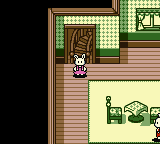
The game loads when you press Play · press “Play Now” inside the game if it asks.
Sylvanian Families - Otogi no Kuni no Pendant (Japan)
Sylvanian Families - Otogi no Kuni no Pendant
About Sylvanian Families - Otogi no Kuni no Pendant
- Game Boy Color
- Simulation
- 5· 0 votes
GAME INFO
- Platform
- Game Boy Color
- Genre
- Simulation
- Players
- 1
- Region
- Japan
How to play Sylvanian Families - Otogi no Kuni no Pendant online
Getting started in Sylvanian Families - Otogi no Kuni no Pendant is straightforward but language-heavy. After the title screen, you begin in a village with your character. Walk around using the D-Pad and talk to other animals by pressing X (A button). The game presents dialogue boxes entirely in Japanese, so you'll need to experiment or follow a guide to know what to do next.
The core loop involves visiting different areas like forests, shops, and houses, collecting clues or items, and returning to key characters. Look for highlighted objects or characters that you can interact with. Use the Select button (V) to open your inventory or map. If you get stuck, try talking to everyone repeatedly or checking every screen edge.
Since this is a Japanese-only release, menus use kanji and hiragana. If you don't read Japanese, consider using a translation patch or a walkthrough from online communities. The game isn't long and is very forgiving, so you can progress through trial and error without too much frustration.
CONTROLS
Controls
- Arrow Keys: D-Pad / Movement
- X: A button (jump / confirm)
- S: B button (run / attack / cancel)
- Enter: Start / Pause
- V: Select
Sylvanian Families - Otogi no Kuni no Pendant FAQ
Who developed Sylvanian Families - Otogi no Kuni no Pendant?
The development studio for this game is not widely documented. It was most likely developed internally by Epoch, the company that owns the Sylvanian Families brand, but specific credits are scarce for this Japan-only release.
Which regions was Sylvanian Families - Otogi no Kuni no Pendant released in?
This title was released exclusively in Japan. No North American or European versions exist.
Can players save progress in Sylvanian Families - Otogi no Kuni no Pendant?
The game does support saving progress, likely through a battery-backed save or password system, though the exact method is not clearly documented. Most Game Boy Color games of this era from Epoch included save functionality.
You may also like
All Game Boy Color games











GAME INFO
- Platform
- Game Boy Color
- Genre
- Simulation
- Players
- 1
- Region
- Japan
COMMENTS (0)
No comments yet. Be the first to share your thoughts.