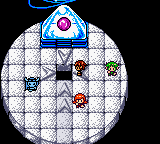
The game loads when you press Play · press “Play Now” inside the game if it asks.
Space-Net - Cosmo Red (Japan)
Space-Net - Cosmo Red
Space-Net - Cosmo Red - Shooter Classic
- Game Boy Color
- Shooter
- 5· 0 votes
Space-Net - Cosmo Red is a Japanese-exclusive Game Boy Color title that arrived during the handheld's prime years. Its release date and developer are not widely documented, but the game fits into the space shooter genre common on the platform. The title suggests a cosmic adventure, and the "Cosmo Red" subtitle hints at a specific version or color variant.
While exact gameplay details are scarce, players would likely guide a spacecraft through scrolling levels, dodging obstacles and firing at enemies. Given the Game Boy Color's capabilities, the game would have offered simple but responsive controls and a series of stages to complete. The Japanese menus mean non-readers will need to experiment with options.
For collectors of obscure Game Boy Color imports, Space-Net - Cosmo Red represents a piece of the system's regional library. It's not a title that broke new ground, but its rarity and colorful sprite work make it a curiosity for enthusiasts. If you enjoy space shooters from the era, it's worth a quick look.
GAME INFO
- Platform
- Game Boy Color
- Genre
- Shooter
- Region
- Japan
How to play Space-Net - Cosmo Red online
When you first boot up Space-Net - Cosmo Red, you'll be greeted with Japanese menus. Select "Start" (likely the first option) to begin. The game appears to be a side-scrolling shooter where you control a ship. Your goal is to survive each level by shooting enemies and avoiding collisions.
Pay attention to power-ups scattered throughout the stages. They might upgrade your weapons or grant temporary shields. Since the text is in Japanese, you'll need to interpret icons or memorize patterns. The core loop involves clearing waves of foes and defeating a boss at the end of each area.
Because this is a Japanese-only release, some mechanics may not be immediately obvious. Don't be afraid to try different button combinations. The controls are responsive, so reaction time matters more than menu navigation.
CONTROLS
Controls
- Arrow Keys: D-Pad / Movement
- X: A button (jump / confirm)
- S: B button (run / attack / cancel)
- Enter: Start / Pause
- V: Select
Space-Net - Cosmo Red FAQ
What makes Space-Net - Cosmo Red stand out among Game Boy Color titles of its era?
It is a Japan-exclusive release that offers a colorful space shooter experience on the Game Boy Color. Its rarity and distinctive "Cosmo Red" subtitle make it a collectible curiosity for import fans.
In what year was Space-Net - Cosmo Red originally released?
The exact release year is not widely documented in mainstream databases. It likely appeared during the late Game Boy Color lifecycle, possibly around 2000 or 2001.
Who developed Space-Net - Cosmo Red?
The developer of Space-Net - Cosmo Red is not widely recorded. It may have been handled by a smaller Japanese studio, but specific information remains scarce.
You may also like
All Game Boy Color games











GAME INFO
- Platform
- Game Boy Color
- Genre
- Shooter
- Region
- Japan
COMMENTS (0)
No comments yet. Be the first to share your thoughts.