The game loads when you press Play · press “Play Now” inside the game if it asks.
Soccer Manager (Europe) (En,Fr,De,Es)
Soccer Manager
Soccer Manager on GBC
- Game Boy Color
- Simulation
- 5· 0 votes
GAME INFO
- Platform
- Game Boy Color
- Genre
- Simulation
- Players
- 1
- Region
- Europe
How to play Soccer Manager online
Getting Started
When you launch Soccer Manager, you will first select your language from the four available options then choose or create a manager profile. The main menu offers options like Start Game, Team Management, Transfers, and Settings. Start a new game by picking a club from the English, French, German, or Spanish leagues - your team's roster and budget are set.
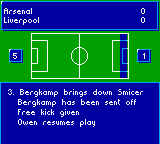
The core loop involves navigating through menu screens to set your lineup, adjust tactics (e.g., attacking or defensive), and conduct transfer negotiations. After setting your team, you advance through the season week by week; match results are shown as text summaries rather than playable matches. Pay attention to player morale and injuries, as they affect performance.
New players should start with a top-tier club to ease into the mechanics. Use the D-pad to move between menu items, A to confirm, and B to cancel. Saving is typically done through a battery backup, so check the cartridge state if emulating. There is no real-time gameplay - this is a turn-based manager simulation.
CONTROLS
Controls
- Arrow Keys: D-Pad / Movement
- X: A button (jump / confirm)
- S: B button (run / attack / cancel)
- Enter: Start / Pause
- V: Select
Soccer Manager FAQ
Who developed Soccer Manager?
The development studio behind this Game Boy Color version is not widely documented. No specific developer name appears in common retro gaming databases or the game's own credits.
Is Soccer Manager exclusive to Game Boy Color or did it appear on other systems?
Soccer Manager for Game Boy Color appears to be exclusive to that platform. A separate game with the same title exists on earlier home computers, but this handheld iteration is a distinct product.
In what year was Soccer Manager originally released?
An exact original release year is not confirmed in standard archives. It was most likely released between 1999 and 2001, but reliable sources do not pin down a specific date.
You may also like
All Game Boy Color games











GAME INFO
- Platform
- Game Boy Color
- Genre
- Simulation
- Players
- 1
- Region
- Europe
COMMENTS (0)
No comments yet. Be the first to share your thoughts.