CHOOSE A VERSION
3 versions · same consoleChoose an original release, regional version, revision, bootleg or clearly labelled ROM hack/mod, then press Play. Hacks may change the gameplay. Switching versions restarts the player.
Selected: Default · USA · En,Fr,Es · USA
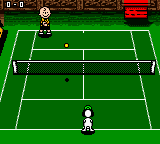
The game loads when you press Play · press “Play Now” inside the game if it asks.
Snoopy Tennis (USA) (En,Fr,Es)
Snoopy Tennis
About Snoopy Tennis
- Game Boy Color
- Sports
- 5· 0 votes
GAME INFO
- Platform
- Game Boy Color
- Genre
- Sports
- Publisher
- Nintendo
- Released
- 2001
- Players
- 1
- Region
- USA
How to play Snoopy Tennis online
Getting Started
When you boot up Snoopy Tennis, you are greeted with a simple menu offering single player exhibition matches or a tournament mode. Pick your favorite Peanuts character - Snoopy, Charlie Brown, Lucy, or Linus - each with slightly different stats. The core objective is to return the ball and outscore your opponent by winning games and sets.
Matches play like a standard tennis game: move your character with the D-Pad to position under the ball, then press the A button for a normal shot or the B button for a lob. Timing is key - hit the ball as it bounces to place it away from your opponent. The game uses a top-down perspective and keeps controls simple, so you can jump right in without a lengthy tutorial.
New players should start in exhibition mode to get a feel for court positioning and shot timing. The AI is forgiving on easy difficulty, but on harder settings it will exploit weak returns. There is no multiplayer option, so this is strictly a solo experience against computer-controlled opponents. Focus on learning when to charge your shot - holding the button longer gives a more powerful return.
CONTROLS
Controls
- Arrow Keys: D-Pad / Movement
- X: A button (jump / confirm)
- S: B button (run / attack / cancel)
- Enter: Start / Pause
- V: Select
Snoopy Tennis FAQ
Does Snoopy Tennis have a multiplayer or co-op mode?
The game is strictly single player, with no support for link cable or co-op play. You compete against computer-controlled opponents in exhibition or tournament modes.
Which regions was Snoopy Tennis released in?
Snoopy Tennis was released in North America and Europe, with the cartridge supporting English, French, and Spanish text. The version on retrogames.cc is the USA release.
In what year was Snoopy Tennis originally released?
The game originally came out in 2001 for the Game Boy Color, published by Infogrames.
You may also like
All Game Boy Color games











GAME INFO
- Platform
- Game Boy Color
- Genre
- Sports
- Publisher
- Nintendo
- Released
- 2001
- Players
- 1
- Region
- USA
COMMENTS (0)
No comments yet. Be the first to share your thoughts.