🔊 Tap Play, then press “Play Now”

RPG Tsukuru GB (Japan)

0 Favorites 0 Likes 14 Views
Rate this game:
Embed Code
RPG Tsukuru GB (Japan)
Game Boy Color Simulation 2000 Japan 1 Player 5 (0) 14

RPG Tsukuru GB (Japan)

Inside RPG Tsukuru GB (Japan)

RPG Tsukuru GB is a game creation tool for the Game Boy Color, released exclusively in Japan by Enterbrain in the year 2000. Part of the 'Tsukuru' series (which means 'make' in Japanese), it brings the basic functions of a role-playing game maker to a portable platform. This isn't a traditional RPG where you play a hero's journey; instead, you become the designer, building your own dungeons, characters, and dialogue from scratch.

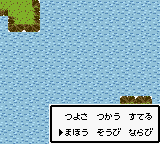
The player starts with a blank project and uses a tile-based editor to construct maps, place NPCs, set up events, and define scripts for battles and cutscenes. A simple menu system lets you assign stats to enemies, write text for shopkeepers, and link maps together to form a full adventure. Once created, you can play through your own game directly on the same cartridge, testing and tweaking as you go. The interface is entirely in Japanese, so navigating the menus requires some familiarity with the language or a translation guide.

Today, RPG Tsukuru GB is a fascinating piece of creative software that shows how ambitious developers could be on limited hardware. While the resulting RPGs are simple by modern standards, the sheer novelty of making a full game on a handheld from 2000 still appeals to curious retro collectors and anyone interested in game design history. It's niche, but for those who enjoy the process of building worlds, it offers a unique, tangible experience that you can't quite replicate with modern tools.

How to Play RPG Tsukuru GB (Japan) Online

When you begin a new project, you'll see a grid-based map editor. Use the D-Pad to move a cursor around the map and place tiles from a palette. The A button (X key) confirms selections, and B (S key) cancels or goes back. Your first step is to design the terrain - fields, forests, caves - then place doors, chests, and NPCs. Each placed object can be assigned events (like dialogue or item giving) through a simple scripting menu.

After building maps, link them together to form a world. You can also set up basic battle encounters and define enemy stats. The game saves your project to the cartridge's battery-backed memory, similar to a normal RPG save. Keep in mind that all menus and prompts are in Japanese, so you may want a translation guide or a basic understanding of RPG Maker conventions (like 'イベント' for event, 'マップ' for map). Test your creation often by selecting the play option from the main menu.

RPG Tsukuru GB (Japan) Keyboard Controls

Controls

  • Arrow Keys: D-Pad / Movement
  • X: A button (jump / confirm)
  • S: B button (run / attack / cancel)
  • Enter: Start / Pause
  • V: Select

Frequently Asked Questions

Who developed RPG Tsukuru GB?
Enterbrain, the Japanese publisher known for the Tsukuru series, developed this portable version for the Game Boy Color. The same company handled the home console and PC releases of similar game-making tools.
Can players save progress in RPG Tsukuru GB?
Yes, the cartridge includes battery-backed RAM that stores your project data and any custom maps, events, and scripts. Saving is done through an in-game menu option, just like a typical RPG.
Is RPG Tsukuru GB considered easy to pick up or challenging?
The creation tools are straightforward for anyone familiar with tile-based editors or RPG Maker software, but the entirely Japanese interface presents a steep language barrier. For English speakers, patience and a translation guide are necessary, though the core logic is simple enough to learn by experimentation.

Comments (0)

    More Simulation Games











