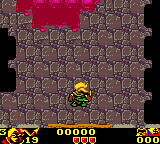
The game loads when you press Play · press “Play Now” inside the game if it asks.
Robin Hood (Europe) (En,Fr,De,Es,It,Nl)
Robin Hood
What is Robin Hood?
- Game Boy Color
- RPG
- 5· 0 votes
Robin Hood (Europe) (En,Fr,De,Es,It,Nl) is a role-playing game released for the Game Boy Color. It arrived during the late 1990s when handheld RPGs were still finding their footing, offering a cartridge that catered to a multilingual audience across Europe. While the exact developer and publisher are not widely documented, the game fits squarely into the era's push to bring classic tales to portable screens.
As an RPG, you guide Robin Hood through a series of towns, forests, and castle-like areas. The core loop involves talking to villagers and noblemen, gathering quests, and engaging in turn-based battles against guards and rival outlaws. You manage inventory, equip weapons like bows and swords, and level up your character by gaining experience points. The world map connects different locations and random encounters keep you on your toes.
What makes this title worth a look today is its attempt to weave the Robin Hood mythos into a traditional RPG framework on a system with limited resources. It may not have the polish of big-name GBC role-playing games, but it offers a complete, honest adventure for anyone curious about how developers adapted classic literature into interactive form. If you enjoy simple, story-driven RPGs from the late 90s, this one is a neat little time capsule.
GAME INFO
- Platform
- Game Boy Color
- Genre
- RPG
- Region
- Europe
How to play Robin Hood online
Getting Started
Select "New Game" from the title screen to begin. You control Robin Hood almost immediately, with a small introductory scene setting up the story. The first objective is usually to speak with nearby characters to learn about your immediate goal - often rescuing someone or gathering supplies.
Navigate the world using the D-Pad and interact with people and objects using the A button (X key). Battles are random when walking through outdoor areas, so keep your health high by visiting inns or using items. Talk to every villager; some give hints about hidden treasures or quest steps.
The game uses simple menus for equipment, magic, and items. Press the B button (S key) to cancel out of menus. Save your progress at save points marked by a stone or a special icon in towns. There is no autosave, so remember to save often before venturing into dangerous areas.
CONTROLS
Controls
- Arrow Keys: D-Pad / Movement
- X: A button (jump / confirm)
- S: B button (run / attack / cancel)
- Enter: Start / Pause
- V: Select
Robin Hood FAQ
Is Robin Hood considered easy to pick up or challenging?
It falls on the easier side of classic handheld RPGs. The random encounters are manageable, and healing items are plentiful in shops. Newcomers to the genre should have no trouble progressing.
Does Robin Hood have a multiplayer or co-op mode?
No, it is strictly a single-player experience. The Game Boy Color hardware at the time rarely supported multiplayer for RPGs, and this title stays in that tradition.
What makes Robin Hood stand out among Game Boy Color titles of its era?
It is one of the few RPGs based on the Robin Hood legend rather than a generic fantasy setting. The combination of historical folklore with turn-based mechanics gives it a unique flavor among GBC role-playing games.
You may also like
All Game Boy Color games











GAME INFO
- Platform
- Game Boy Color
- Genre
- RPG
- Region
- Europe
COMMENTS (0)
No comments yet. Be the first to share your thoughts.