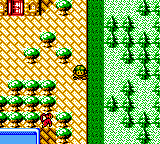
The game loads when you press Play · press “Play Now” inside the game if it asks.
Revelations - The Demon Slayer (USA)
Revelations - The Demon Slayer
Revelations - The Demon Slayer Overview
- Game Boy Color
- RPG
- 5· 0 votes
GAME INFO
- Platform
- Game Boy Color
- Genre
- RPG
- Released
- 1999
- Players
- 1
- Region
- USA
How to play Revelations - The Demon Slayer online
Getting Started
When you start the game, you'll be greeted with a title screen. Press Enter to begin a new game or V to select Continue if you have a save file. The opening scene sets up the story: a young boy named Abel is called to the palace and thrust into a quest to stop an evil demon king. You control Abel directly with the D-Pad; press X to talk to people, investigate objects, or open chests. The game uses a menu system accessed by pressing X (confirm) when standing still - you'll see options like Talk, Demon, Item, Magic, etc.
The core loop is simple: explore towns to gather information and supplies, venture into dungeons filled with random encounters, and recruit demons by speaking to them during battle. To recruit, use the Talk command on a weakened enemy - you may need to answer a question or give items. Demons you recruit join your party and can be used in battle or fused at special facilities. Keep an eye on your HP and MP, and don't forget to save regularly at churches (the save point). The game auto-saves after major events, but manual saves are recommended.
If you're new to the series, remember that certain demons are weak to specific elements - exploit those weaknesses for bonus turns. Don't be afraid to experiment with fusion, as it's the key to getting stronger allies. The game is linear but offers optional side areas for extra experience. The manual is concise, so just jump in and let the story guide you.
CONTROLS
Controls
- Arrow Keys: D-Pad / Movement
- X: A button (jump / confirm)
- S: B button (run / attack / cancel)
- Enter: Start / Pause
- V: Select
Revelations - The Demon Slayer FAQ
Is Revelations - The Demon Slayer exclusive to Game Boy Color or did it appear on other systems?
This game was released only for the Game Boy Color. It is the North American localization of the Japanese Megami Tensei Gaiden: Last Bible, which also appeared on the original Game Boy in Japan as the first Last Bible title. No other versions exist for other platforms.
Can players save progress in Revelations - The Demon Slayer?
Yes, the game includes battery-backed saving. To save, visit a church in town and talk to the priest at the counter. The save data is stored on the cartridge and will persist even when the console is turned off.
Who developed Revelations - The Demon Slayer?
Atlus developed and published the game. It was produced by the same internal team behind the larger Megami Tensei series, though the portable spin-offs were handled by a smaller group within Atlus.
You may also like
All Game Boy Color games











GAME INFO
- Platform
- Game Boy Color
- Genre
- RPG
- Released
- 1999
- Players
- 1
- Region
- USA
COMMENTS (0)
No comments yet. Be the first to share your thoughts.