🔊 Tap Play, then press “Play Now”

Resident Evil Gaiden (USA)

0 Favorites 0 Likes 23 Views
Rate this game:
Embed Code
Resident Evil Gaiden (USA)
Game Boy Color Horror Dev Capcom 2002 USA 1 Player 5 (0) 23

Resident Evil Gaiden (USA)

Resident Evil Gaiden (USA) on GBC

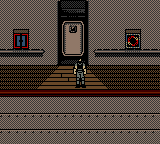
Resident Evil Gaiden is a non-canonical side story in Capcom's survival horror series, released for the Game Boy Color in North America in 2002. Developed by M4 Limited alongside Capcom, it blends the series' trademark tension with the portable hardware's limitations. Instead of the fixed cameras of the mainline games, this entry uses a top-down perspective that lets you see more of the environment at once.

The game puts you in control of Barry Burton and later Leon S. Kennedy as they investigate the ocean liner Starlight after it goes dark. You move from room to room, searching for items, reading documents, and piecing together what happened to the crew. Combat is real-time but relies on a unique aim-and-fire system: when an enemy appears, you must wait for a reticle to line up before pressing the attack button. Miss your timing and you take damage. There are puzzles to solve, keys to find, and a limited inventory that forces you to decide what to carry.

For retro gamers, Resident Evil Gaiden is an interesting outlier in the series. It tries to capture the survival horror feeling on a handheld with a far smaller color palette and simpler sound, but it never quite reaches the intensity of the console games. Still, it offers a complete campaign that takes about four to six hours, and its non-canonical plot makes it a fun what-if for franchise fans. If you enjoy experimental handheld adaptations or early attempts to shrink big genres into small cartridges, this one is worth a playthrough.

How to Play Resident Evil Gaiden (USA) Online

Getting Started: When you first boot the game, you'll see a title screen. Press Start to begin a new game. You start as Barry Burton on the deck of the Starlight. Immediately you'll need to move around using the D-Pad and interact with objects by pressing Z (Y button). The core loop is exploration: walk through rooms, open cabinets, and read notes to learn about the situation.

Combat triggers automatically when an enemy appears on screen. A crosshair will appear on the enemy; wait for it to align with the enemy's position, then press S (B button) to shoot. If you press too early or too late, you'll miss. You can also run by holding the Y button while moving, but that may alert enemies. Use A (X button) to open the menu, where you can check your inventory, combine items, and equip weapons.

Save your progress frequently at typewriter save points found in certain rooms. Ammo and health items are scarce, so conserve them. If you get stuck, examine every object and talk to any NPC you meet. The game is linear but you need to backtrack to use keys or solve puzzles. If you are new, take your time and map out the ship mentally.

Resident Evil Gaiden (USA) Keyboard Controls

Controls

  • Arrow Keys: D-Pad / Movement
  • X: A button (jump / confirm)
  • S: B button (run / attack / cancel)
  • Enter: Start / Pause
  • V: Select

Frequently Asked Questions

Who developed Resident Evil Gaiden?
M4 Limited developed the game in collaboration with Capcom. It was published by Capcom for the Game Boy Color.
Does Resident Evil Gaiden have a multiplayer or co-op mode?
No, the game is strictly single-player. You control one character at a time, switching between Barry and Leon during the story, but there is no cooperative or versus mode.
Is there anything iconic or memorable about Resident Evil Gaiden?
It is the only Resident Evil game to use a top-down perspective, and its non-canonical story features a unique setting on a cruise ship. The game also introduced a combat system that requires timing the shot rather than free aiming, which sets it apart from other entries.

Comments (0)

    More Horror Games