CHOOSE A VERSION
2 versions · same consoleChoose an original release, regional version, revision, bootleg or clearly labelled ROM hack/mod, then press Play. Hacks may change the gameplay. Switching versions restarts the player.
Selected: Default · USA · En,Fr,Es · USA
The game loads when you press Play · press “Play Now” inside the game if it asks.
Quest for Camelot (USA) (En,Fr,Es)
Quest for Camelot
What is Quest for Camelot?
- Game Boy Color
- Adventure
- 5· 0 votes
Quest for Camelot for the Game Boy Color is a side-scrolling adventure game tied to Warner Bros.' 1998 animated film of the same name. It was released in North America and supports English, French, and Spanish text options. The publisher and developer aren't widely documented in online databases, but the cartridge was part of the late-'90s wave of movie-licensed handheld games. If you're a fan of the film or simply curious about how GBC platformers handled film adaptations, this title offers a straightforward take on the genre.
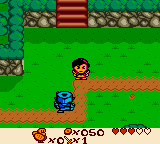
You control Kayley, the film's protagonist, as she sets out to save Camelot. The gameplay involves navigating 2D levels, jumping over gaps, avoiding enemies, and interacting with objects and characters to advance the story. The exact mechanics aren't heavily documented, but based on the era's adventure-platformers, expect light puzzle solving and item collection. The game uses the GBC's hardware to present colorful sprites and a compact world that fits the portable screen.
Today, Quest for Camelot is a niche curiosity rather than a hidden gem. It's short and simple, typical of licensed handheld titles from the time. For retro collectors, especially those interested in the GBC library of movie tie-ins, it's a neat piece of history. Don't expect deep gameplay or lasting replay value, but if you enjoy exploring small, story-driven adventures from the late '90s, it's worth a quick playthrough.
How to play
Controls
- Arrow Keys = D-Pad
- X = A button (jump/confirm)
- S = B button (run/attack/cancel)
- Z = Y button
- A = X button
- Q = L shoulder
- E = R shoulder
- Enter = Start
- V = Select
GAME INFO
- Platform
- Game Boy Color
- Genre
- Adventure
- Publisher
- Nintendo
- Developer
- Titus Interactive
- Released
- 1998
- Players
- 1
- Region
- USA
How to play Quest for Camelot online
Getting started begins with the title screen - press Start to view the opening story scene. From there, you'll be placed in the first level. Use the D-Pad to move Kayley left and right, and press the A button (X key) to jump or confirm selections. The B button (S key) may be used for an attack or to cancel dialogue. Your main goal is to progress rightward, avoiding hazards and talking to characters. Keep an eye out for items that can be collected by walking over them.
The game saves progress automatically at certain checkpoints, so you can safely turn off the handheld. If you get stuck, try interacting with everything in the current screen. Menus are in English, French, or Spanish depending on your locale selection at boot. The adventure is linear, so simply explore each area thoroughly to trigger the next event.
CONTROLS
Controls
- Arrow Keys: D-Pad / Movement
- X: A button (jump / confirm)
- S: B button (run / attack / cancel)
- Enter: Start / Pause
- V: Select
Quest for Camelot FAQ
Who developed Quest for Camelot?
The developer is not widely documented. Some sources credit Titus Interactive, but reliable confirmation is lacking.
What type of game is Quest for Camelot?
It's a 2D side-scrolling adventure game with platforming elements, built around the story of the 1998 animated film.
Roughly how long does it take to finish Quest for Camelot?
A typical playthrough takes around two to four hours, depending on how quickly you navigate its puzzles and levels.
You may also like
All Game Boy Color games











GAME INFO
- Platform
- Game Boy Color
- Genre
- Adventure
- Publisher
- Nintendo
- Developer
- Titus Interactive
- Released
- 1998
- Players
- 1
- Region
- USA
COMMENTS (0)
No comments yet. Be the first to share your thoughts.