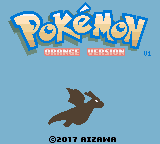
The game loads when you press Play · press “Play Now” inside the game if it asks.
Pokemon Orange Beta 1.0
Pokemon Orange Beta 1.0
Inside Pokemon Orange Beta 1.0
- Game Boy Color
- RPG
- Fan Game
- 5· 0 votes
Unofficial fan game. The notes below come from community sources and have not been verified against the patch itself, so levels, mechanics and features may differ from what is described.
This is a fan-made hack known as Pokemon Orange Beta 1.0, built for the Game Boy Color. It is not an official Nintendo release; instead, it modifies the base Pokemon engine (likely from Pokemon Crystal) to introduce the Orange Archipelago from the anime. The beta label indicates an incomplete, test version, circulated online by the hacking community. The creator or team behind it is not widely documented, but it remains a notable piece of fangame history.
The core gameplay follows the standard Pokemon RPG structure: you explore a 2D overworld, battle wild Pokemon and trainers, collect badges, and advance the story. The Orange Islands setting means new areas, Pokemon encounters, and potentially different progression compared to standard Kanto or Johto. Since it is a beta, some features may be unfinished or glitchy, and it may not reflect the final experience the modder intended.
Today, Pokemon Orange Beta 1.0 is worth trying for collectors and fans of fangames curious about early attempts to adapt the Orange Islands into a playable format. It is a niche artifact - rough around the edges, but interesting for what it represents. It does not replace the official Pokemon games, but offers a glimpse into the modding scene of the early 2000s.
GAME INFO
- Platform
- Game Boy Color
- Genre
- RPG
- Version
- Beta 1.0
How to play Pokemon Orange Beta 1.0 online
To start, you will be prompted to choose a name and likely a starter Pokemon. The game begins in a town within the Orange Islands - explore the area to find wild Pokemon and battle trainers. The core loop is typical of Pokemon RPGs: gain experience, evolve your team, and challenge Gym Leaders to earn badges. Because this is a beta, some events may not trigger properly or text may be incomplete. If you get stuck, try talking to every NPC and checking every tile, as progression in hacks sometime relies on hidden triggers. Save often using the in-game save option (Start menu) or emulator save states.
CONTROLS
Controls
- Arrow Keys: D-Pad / Movement
- X: A button (jump / confirm)
- S: B button (run / attack / cancel)
- Enter: Start / Pause
- V: Select
Pokemon Orange Beta 1.0 FAQ
Is Pokemon Orange Beta 1.0 an official release, a fan hack, a prototype, or another kind of build?
It is a fan-made hack, not an official Nintendo product. The "Beta 1.0" label indicates it is an early, unfinished build of that hack.
In what year was Pokemon Orange Beta 1.0 originally released?
The exact release year is not widely documented. It likely appeared in the early 2000s, circulating on Pokemon hacking forums.
Who developed Pokemon Orange Beta 1.0?
The developer or team is not publicly recorded in any reliable source. The hack is often credited to an anonymous member of the fangame community.
You may also like
All Game Boy Color games











GAME INFO
- Platform
- Game Boy Color
- Genre
- RPG
- Version
- Beta 1.0
COMMENTS (0)
No comments yet. Be the first to share your thoughts.