The game loads when you press Play · press “Play Now” inside the game if it asks.
Microsoft Pinball Arcade (USA)
Microsoft Pinball Arcade
Microsoft Pinball Arcade on GBC
- Game Boy Color
- Simulation
- 5· 0 votes
GAME INFO
- Platform
- Game Boy Color
- Genre
- Simulation
- Developer
- Microsoft
- Released
- 1998
- Players
- 1
- Region
- USA
How to play Microsoft Pinball Arcade online
Getting Started
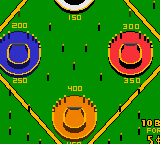
When you boot up Microsoft Pinball Arcade, the main menu lets you choose from several tables. Each table is a different theme with its own layout, ramps, bumpers, and scoring goals. Use the D-pad to highlight a table and press A to start a game. On the Game Boy Color, the smaller screen means you see less of the table at once, but the flipper controls remain responsive.
The core loop is standard pinball: launch the ball, hit targets and ramps for points, and keep the ball from draining past the flippers. Nudging the table is possible by pressing the D-pad left or right during play, though you have to be careful not to tilt. Each table has specific objectives like spelling a word or hitting certain combos for bonus scores. If you're new to digital pinball, start with a simple table and focus on keeping the ball alive while learning the scoring opportunities.
CONTROLS
Controls
- Arrow Keys: D-Pad / Movement
- X: A button (jump / confirm)
- S: B button (run / attack / cancel)
- Enter: Start / Pause
- V: Select
Microsoft Pinball Arcade FAQ
Which regions was Microsoft Pinball Arcade released in?
The Game Boy Color version appears to have been released only in the USA, based on the cartridge label and available ROM dumps. No European or Japanese releases have been widely documented.
In what year was Microsoft Pinball Arcade originally released?
The original PC version came out in 1998, but the exact release year for the Game Boy Color port is not widely documented. Most sources estimate it arrived around 1999 or 2000.
Who developed Microsoft Pinball Arcade?
The PC version was developed by Microsoft and later ported to the Game Boy Color, but the specific studio responsible for the GBC port is not widely documented. Some references point to a separate contracted developer, but that information remains unconfirmed.
You may also like
All Game Boy Color games











GAME INFO
- Platform
- Game Boy Color
- Genre
- Simulation
- Developer
- Microsoft
- Released
- 1998
- Players
- 1
- Region
- USA
COMMENTS (0)
No comments yet. Be the first to share your thoughts.