CHOOSE A VERSION
2 versions · same consoleChoose an original release, regional version, revision, bootleg or clearly labelled ROM hack/mod, then press Play. Hacks may change the gameplay. Switching versions restarts the player.
Selected: Default · USA · En,Fr,Es · USA
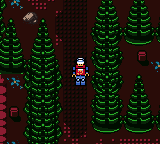
The game loads when you press Play · press “Play Now” inside the game if it asks.
Lego Island 2 - The Brickster's Revenge (USA) (En,Fr,Es)
Lego Island 2 - The Brickster's Revenge
Lego Island 2 - The Brickster's Revenge Overview
- Game Boy Color
- Platformer
- 5· 0 votes
GAME INFO
- Platform
- Game Boy Color
- Genre
- Platformer
- Released
- 2000
- Players
- 1
- Region
- USA
How to play Lego Island 2 - The Brickster's Revenge online
Getting Started
When you start Lego Island 2, you'll see a brief intro story about the Brickster escaping. From the title screen, press Enter to start the game. You begin in the Lego Island hub area, where you can walk around and talk to other Lego characters by pressing X near them. Your first objective is usually to find a phone booth or a character that gives you a mission - look for speech bubbles or highlighted items.
The core gameplay is about running from left to right through 2D levels, collecting Lego bricks and other items, and occasionally using context-sensitive actions like pulling a lever or jumping on a spring pad. You have a health bar that depletes when you touch enemies or fall into pits; collect hearts to restore it. If you lose all health, you restart from the last checkpoint. Pay attention to signs and character hints - they usually tell you exactly what you need to do next.
There's no strict timer, so you can explore at your own pace. Some levels have multiple paths, and hidden collectibles like red bricks unlock bonus content. If you get stuck, try talking to everyone in the hub or revisiting areas after completing a mission. The game is designed to be accessible for younger players, so don't expect brutally hard sections - just a relaxed Lego adventure.
CONTROLS
Controls
- Arrow Keys: D-Pad / Movement
- X: A button (jump / confirm)
- S: B button (run / attack / cancel)
- Enter: Start / Pause
- V: Select
Lego Island 2 - The Brickster's Revenge FAQ
What makes Lego Island 2 - The Brickster's Revenge stand out among Game Boy Color titles of its era?
It's one of the few handheld adaptations that directly continues a story from a popular PC game, complete with voice-like text and recognizable Lego characters. The mix of light platforming with small fetch-quest style tasks gives it a unique pace compared to action-heavy GBC platformers.
Is Lego Island 2 - The Brickster's Revenge considered easy to pick up or challenging?
The game leans toward the easy side, with simple objectives and generous health pickups. It was designed for children and casual players, so the difficulty stays low throughout - only a few jumping puzzles might trip up new players temporarily.
Is there anything iconic or memorable about Lego Island 2 - The Brickster's Revenge?
The highlight is the way it replicates the feel of the Lego Island PC world on a small screen, complete with the Brickster as a cartoonish villain. The ability to build items on the fly and the cheerful music track are what retro fans tend to recall most fondly.
You may also like
All Game Boy Color games











GAME INFO
- Platform
- Game Boy Color
- Genre
- Platformer
- Released
- 2000
- Players
- 1
- Region
- USA
COMMENTS (0)
No comments yet. Be the first to share your thoughts.