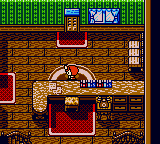
The game loads when you press Play · press “Play Now” inside the game if it asks.
Kawaii Pet Shop Monogatari 2 (Japan)
Kawaii Pet Shop Monogatari 2
Inside Kawaii Pet Shop Monogatari 2
- Game Boy Color
- Simulation
- 5· 0 votes
GAME INFO
- Platform
- Game Boy Color
- Genre
- Simulation
- Region
- Japan
More Kawaii Pet Shop Monogatari Games
Ready for another round? Explore more Kawaii Pet Shop Monogatari games and console editions. Choose a game below to play it on its own page.
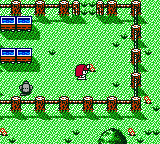
How to play Kawaii Pet Shop Monogatari 2 online
Getting Started
This game is entirely in Japanese, so navigating menus will require some familiarity with katakana and hiragana, or a translation guide. The main screen likely offers options to start a new game, continue, or adjust settings. Use the D-pad to move through menu items and the A button (X key) to confirm selections.
Once inside the game, you manage a pet shop: buying animals, caring for them by feeding and cleaning, and selling them to customers. The core loop involves restocking supplies, keeping animals happy, and expanding your shop. Pay attention to icons and numbers on the screen, as they represent money, inventory, and animal happiness levels.
Without an English patch, expect a steep language barrier. Look for kanji that may indicate save options (usually on the map or in a menu). Trial and error is part of the experience - many retro management games from Japan rely on visual feedback and menus that follow common conventions of the era.
CONTROLS
Controls
- Arrow Keys: D-Pad / Movement
- X: A button (jump / confirm)
- S: B button (run / attack / cancel)
- Enter: Start / Pause
- V: Select
Kawaii Pet Shop Monogatari 2 FAQ
Can players save progress in Kawaii Pet Shop Monogatari 2?
Saving is handled through a battery-backed save system, standard for Game Boy Color cartridges. Look for a save option in the main menu, often represented by a floppy disk icon or a Japanese character meaning "save." Progress is retained even after turning off the console, but the battery may have died in original carts.
Is there anything iconic or memorable about Kawaii Pet Shop Monogatari 2?
The game is remembered for its extremely cute pixel art and the variety of pet species available for management. It remains a niche curiosity among collectors of Japan-only simulation games for the Game Boy Color.
Who developed Kawaii Pet Shop Monogatari 2?
The developer is not widely documented in English sources. The game was published by a small Japanese company, likely Imagineer or a similar outfit specializing in lifestyle sims, but specific credits remain unclear.
You may also like
All Game Boy Color games











GAME INFO
- Platform
- Game Boy Color
- Genre
- Simulation
- Region
- Japan
COMMENTS (0)
No comments yet. Be the first to share your thoughts.