CHOOSE A VERSION
2 versions · same consoleChoose an original release, regional version, revision, bootleg or clearly labelled ROM hack/mod, then press Play. Hacks may change the gameplay. Switching versions restarts the player.
Selected: Default · USA, Europe · En,Fr,De,Es,It,Pt,Nl,Sv,No,Da,Fi · USA, Europe
The game loads when you press Play · press “Play Now” inside the game if it asks.
Harry Potter and the Sorcerer's Stone (USA, Europe) (En,Fr,De,Es,It,Pt,Nl,Sv,No,Da,Fi)
Harry Potter and the Sorcerer's Stone
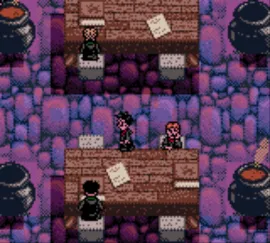
Harry Potter and the Sorcerer's Stone: GBC RPG
- Game Boy Color
- RPG
- 5· 0 votes
GAME INFO
- Platform
- Game Boy Color
- Genre
- RPG
- Publisher
- Electronic Arts
- Developer
- KnowWonder
- Released
- 2001
- Players
- 1
- Region
- USA, Europe
How to play Harry Potter and the Sorcerer's Stone online
Getting Started
Start by selecting a new game from the title screen. You take control of Harry on his first day at Hogwarts, following a tutorial that teaches basic movement and interaction. The game proceeds through chapters, each corresponding to events from the book.
The core loop involves exploring hubs like the castle and grounds, talking to characters, collecting items and spell cards, and engaging in turn-based fights against magical creatures or rivals. Spells are mapped to the X button during battle, with B bringing up the menu. Pay attention to dialogue and item descriptions to solve simple environmental puzzles.
Save your progress frequently at the designated save points (portraits of Dumbledore). The game is not overly difficult but some puzzles require trial and error, especially around stealth segments with Filch. If you get stuck, talking to all NPCs often reveals hints.
CONTROLS
Controls
- Arrow Keys: D-Pad / Movement
- X: A button (jump / confirm)
- S: B button (run / attack / cancel)
- Enter: Start / Pause
- V: Select
Harry Potter and the Sorcerer's Stone FAQ
Is Harry Potter and the Sorcerer's Stone exclusive to Game Boy Color or did it appear on other systems?
The same story was released on other platforms, including PlayStation, PC, Game Boy Advance, and GameCube, but the Game Boy Color version is a distinct RPG built specifically for that hardware. It shares the story but has unique gameplay not found in the console or PC editions.
Is there anything iconic or memorable about Harry Potter and the Sorcerer's Stone?
Its handheld RPG take on the first book made Hogwarts feel like a miniature adventure world, with spell card collection and turn-based battles that capture the magic. For many, it remains a fond memory of playing on the go before the franchise dominated bigger consoles.
Is Harry Potter and the Sorcerer's Stone considered easy to pick up or challenging?
The game strikes a moderate difficulty, with simple combat and straightforward puzzles that gradually require more thought. Younger players might find a few sections tricky, but overall it is accessible to anyone familiar with basic RPG mechanics.
You may also like
All Game Boy Color games











GAME INFO
- Platform
- Game Boy Color
- Genre
- RPG
- Publisher
- Electronic Arts
- Developer
- KnowWonder
- Released
- 2001
- Players
- 1
- Region
- USA, Europe
COMMENTS (0)
No comments yet. Be the first to share your thoughts.