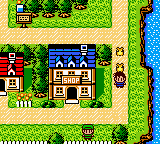
The game loads when you press Play · press “Play Now” inside the game if it asks.
Hamster Paradise 4 (Japan)
Hamster Paradise 4
Hamster Paradise 4 - Simulation Classic
- Game Boy Color
- Simulation
- 5· 0 votes
Hamster Paradise 4 is a Japan-exclusive pet simulation game for the Nintendo Game Boy Color. It arrived during the early 2000s, a time when the platform was flush with cute virtual pet titles. This entry is part of a long-running series that never left Japan, so English-speaking fans usually encounter it through imports or emulation. The original publisher and developer are not widely documented outside Japanese sources, but the game follows the established formula of the franchise.
You take care of one or more hamsters, handling their daily needs like feeding, cleaning, and playing with them. The core loop involves checking on your pet's stats, giving it attention, and buying supplies from an in-game shop. Mini-games likely appear to build affection or earn currency, though the exact roster varies by title in the series. The interface is entirely in Japanese, which can be a hurdle but not an insurmountable one for patient players who recognize icon-driven menus.
What makes Hamster Paradise 4 worth trying today is its pure, low-stakes charm. It captures the same gentle appeal as other virtual pet games from that era, like Tamagotchi-inspired titles, but with a more robust Game Boy Color presentation. If you enjoy pet sims and don't mind navigating Japanese text, this is a solid entry in a niche series. It won't blow anyone away with depth, but its simple routine can be pleasantly meditative for a few minutes at a time.
GAME INFO
- Platform
- Game Boy Color
- Genre
- Simulation
- Players
- 1
- Region
- Japan
More Hamster Paradise Games
Ready for another round? Explore more Hamster Paradise games and console editions. Choose a game below to play it on its own page.
How to play Hamster Paradise 4 online
Getting Started
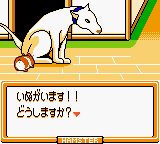
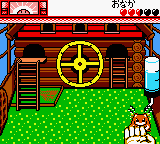
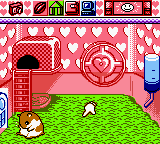
When you boot up Hamster Paradise 4, you will see a Japanese title screen. Press Start (Enter) to proceed. You will probably be asked to name your hamster or select one from a few options. Use the D-Pad to move through menus and A (X) to confirm choices. The main screen shows your hamster and icons for feeding, cleaning, playing, and checking stats.
The core loop is simple: keep your hamster's hunger, happiness, and hygiene meters in the green. You buy food and toys from the shop using coins earned from mini-games. If you cannot read Japanese, look for visual cues - the feed icon often looks like a bowl, and the cleaning icon might resemble a brush. Experiment with each option to learn what it does.
Mini-games are unlocked over time and help build trust with your pet. Pay attention to the hamster's mood indicator; a sad face means it needs attention. As this is a Japanese-only game, consider keeping a translation guide handy for menu items. But even without one, trial and error will get you through the basic care loop.
CONTROLS
Controls
- Arrow Keys: D-Pad / Movement
- X: A button (jump / confirm)
- S: B button (run / attack / cancel)
- Enter: Start / Pause
- V: Select
Hamster Paradise 4 FAQ
Which regions was Hamster Paradise 4 released in?
Only in Japan. It never received an official release in North America or Europe, making it a regional exclusive for the Game Boy Color.
Does Hamster Paradise 4 have a multiplayer or co-op mode?
No multiplayer or co-op functionality has been documented. Like most entries in the series, it is a single-player experience focused on caring for your virtual pet.
Is Hamster Paradise 4 an official release, a fan hack, a prototype, or another kind of build?
It is an official commercial release published by an unknown Japanese company. No evidence suggests it is a hack, prototype, or fan modification.
You may also like
All Game Boy Color games











GAME INFO
- Platform
- Game Boy Color
- Genre
- Simulation
- Players
- 1
- Region
- Japan
COMMENTS (0)
No comments yet. Be the first to share your thoughts.