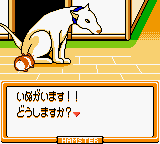
The game loads when you press Play · press “Play Now” inside the game if it asks.
Hamster Paradise 3 (Japan)
Hamster Paradise 3
Hamster Paradise 3: GBC Simulation
- Game Boy Color
- Simulation
- 5· 0 votes
What you actually do in Hamster Paradise 3 is adopt and raise one or more hamsters. The core loop involves feeding them, cleaning their cage, playing with them to keep their happiness up, and watching them grow. There are likely mini-games and items to purchase, but without a translation it can be tricky to navigate the menus. The game runs in real time, so checking in on your hamster regularly is part of the experience. Breeding might also be a feature, as it was in other entries, but specifics are not confirmed from the limited context.
This title is worth trying today if you enjoy niche Japanese pet sims from the Game Boy Color era. It is simple and charming, with sprite art that captures the small, fuzzy appeal of real hamsters. Compared to more famous virtual pets like Pokémon or the Tamagotchi, Hamster Paradise 3 is a quiet, focused experience. It does not have the depth of a full RPG, but for collectors and simulation fans, it is a neat piece of handheld history that remains playable in emulation.
GAME INFO
- Platform
- Game Boy Color
- Genre
- Simulation
- Released
- 2000
- Players
- 1
- Region
- Japan
More Hamster Paradise Games
Ready for another round? Explore more Hamster Paradise games and console editions. Choose a game below to play it on its own page.
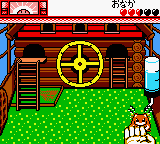
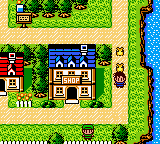
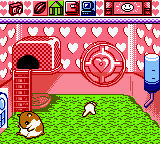
How to play Hamster Paradise 3 online
When you start Hamster Paradise 3, you will be greeted with a Japanese title screen. Press Start to proceed. The main menu is entirely in Japanese, but the layout is typical of the series: you will see options for starting a new game, loading a save, and possibly a settings menu. If you are unfamiliar with the language, trial and error with the D-pad and A button will get you through. Start a new game likely requires naming your hamster using a hiragana input screen - just press A repeatedly to accept defaults if you want to move quickly.
Once in the game, the core loop involves caring for your hamster. The top screen shows its status (hunger, happiness, cleanliness). Use the D-pad to move a cursor over the different action icons, then press A to select. Common icons include a food dish (feed), a water bottle (hydrate), a brush (clean), and a ball (play). Keep all meters in the green by checking in regularly. The game runs in real time, so even when you turn off the system, your hamster ages and needs attention when you return. There are also shops and mini-games accessible from the main menu, but without a translation their exact functions are guesswork - experiment with the interface to discover them.
CONTROLS
Controls
- Arrow Keys: D-Pad / Movement
- X: A button (jump / confirm)
- S: B button (run / attack / cancel)
- Enter: Start / Pause
- V: Select
Hamster Paradise 3 FAQ
Roughly how long does it take to finish Hamster Paradise 3?
There is no definite ending screen. The game is an open-ended virtual pet sim, so playtime depends on how long you care for your hamster. A typical playthrough might last several weeks of daily check-ins, but you can keep raising new generations indefinitely.
What makes Hamster Paradise 3 stand out among Game Boy Color titles of its era?
It is one of the few dedicated hamster-raising simulations on the system, with detailed sprite work and multiple hamster breeds to collect. The real-time clock and need for regular attention set it apart from more passive RPGs or puzzle games.
Is Hamster Paradise 3 exclusive to Game Boy Color or did it appear on other systems?
It was released only for the Game Boy Color in Japan. There were no ports to other platforms, though earlier entries in the series appeared on the original Game Boy and later ones on the Game Boy Advance.
You may also like
All Game Boy Color games
GAME INFO
- Platform
- Game Boy Color
- Genre
- Simulation
- Released
- 2000
- Players
- 1
- Region
- Japan
COMMENTS (0)
No comments yet. Be the first to share your thoughts.