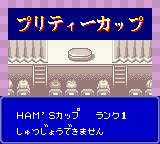
The game loads when you press Play · press “Play Now” inside the game if it asks.
Hamster Club (Japan)
Hamster Club
Inside Hamster Club
- Game Boy Color
- Simulation
- 5· 0 votes
GAME INFO
- Platform
- Game Boy Color
- Genre
- Simulation
- Players
- 1
- Region
- Japan
More Hamster Club Games
Ready for another round? Explore more Hamster Club games and console editions. Choose a game below to play it on its own page.
How to play Hamster Club online
Getting Started
After launching the game, you will be greeted with a Japanese title screen. Press Start (Enter key) to proceed. The main menu options are in Japanese, but typically the first option starts a new game. You will name your hamster using a character input screen; since this is in Japanese, you can usually skip or choose a default name by pressing confirm repeatedly.
Once the game begins, you see your hamster in its cage. The core loop involves checking its hunger, cleanliness, and happiness. Use the D-Pad to select items or actions from on-screen icons - often a food dish, a brush, or a toy. Press the A button (X key) to interact. Keep an eye on the status icons; if the hamster looks sad or hungry, address its needs. Over time, you may unlock new toys or decorations by maintaining good care.
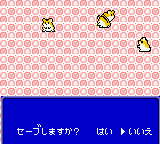
Because the interface is entirely in Japanese, experiment with each menu option to understand what it does. The game does not actively penalize you for mistakes; your hamster simply becomes unhappy until you correct the issue. Save your progress using the in-game save option (usually found in the menu accessed with Select or Start). Enjoy the slow, relaxing pace of caring for your virtual pet.
CONTROLS
Controls
- Arrow Keys: D-Pad / Movement
- X: A button (jump / confirm)
- S: B button (run / attack / cancel)
- Enter: Start / Pause
- V: Select
Hamster Club FAQ
Is Hamster Club exclusive to Game Boy Color or did it appear on other systems?
Hamster Club was released only for the Game Boy Color in Japan. There are no known ports or versions for other consoles, making it a handheld-exclusive title.
Is there anything iconic or memorable about Hamster Club?
The game is remembered mainly for its adorable pixel art of hamsters and its faithful simulation of pet care. It stands as a lesser-known example of the virtual pet genre on Nintendo's handheld, cherished by import collectors.
Who developed Hamster Club?
The developer of Hamster Club is not widely documented. No reputable source lists a specific studio or individual, likely because it was a small-budget release from an obscure publisher.
You may also like
All Game Boy Color games











GAME INFO
- Platform
- Game Boy Color
- Genre
- Simulation
- Players
- 1
- Region
- Japan
COMMENTS (0)
No comments yet. Be the first to share your thoughts.