The game loads when you press Play · press “Play Now” inside the game if it asks.
Hamster Club 2 (Japan)
Hamster Club 2
Hamster Club 2 on GBC
- Game Boy Color
- Simulation
- 5· 0 votes
GAME INFO
- Platform
- Game Boy Color
- Genre
- Simulation
- Released
- 2000
- Players
- 1
- Region
- Japan
More Hamster Club Games
Ready for another round? Explore more Hamster Club games and console editions. Choose a game below to play it on its own page.
How to play Hamster Club 2 online
Getting Started
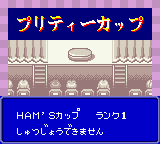
When you start Hamster Club 2, you will likely be greeted with a title screen in Japanese. Press Start to begin a new game. You will probably select an empty cage and then choose your first hamster from a selection of breeds or colors. The main screen shows your hamster's living space with icons for feeding, playing, cleaning, and other care actions.
The core loop involves regularly attending to your hamster's needs. Use the D-Pad to navigate menus, confirm choices with the X button (A), and cancel with the S button (B). Keep an eye on health, hunger, happiness, and cleanliness meters by checking the status screen. You can buy toys and treats from a shop, engage in mini-games, and even breed hamsters to raise new ones. Since the game is entirely in Japanese, memorizing icon positions or using a translation guide will help you understand the menus.
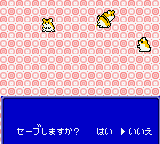
Progress is saved to the cartridge battery, so make sure to save before turning off the Game Boy Color. The game likely saves automatically when certain actions occur or manually from a menu option. Experimenting with interaction is safe since hamsters are resilient in virtual pet games, but neglecting them can lead to illness or death.
CONTROLS
Controls
- Arrow Keys: D-Pad / Movement
- X: A button (jump / confirm)
- S: B button (run / attack / cancel)
- Enter: Start / Pause
- V: Select
Hamster Club 2 FAQ
Is Hamster Club 2 considered easy to pick up or challenging?
Like most virtual pet games of its era, Hamster Club 2 is designed to be accessible and relaxing. The main challenge comes from managing multiple hamsters and balancing their needs, but the learning curve is gentle. It is more about routine care than difficult mechanics.
Is Hamster Club 2 exclusive to Game Boy Color or did it appear on other systems?
Hamster Club 2 was released only for the Game Boy Color in Japan. There were no ports to other platforms, and it did not see a Western release. A sequel, Hamster Club 3, later appeared on the Game Boy Advance.
Can players save progress in Hamster Club 2?
Yes, the game uses battery-backed save memory. You can save your game and continue later, though the exact save method may involve selecting an option from the menu or automatic saving after key events. Always save before turning off the console.
You may also like
All Game Boy Color games











GAME INFO
- Platform
- Game Boy Color
- Genre
- Simulation
- Released
- 2000
- Players
- 1
- Region
- Japan
COMMENTS (0)
No comments yet. Be the first to share your thoughts.